If you are trying to set up or understand Airbuds noise cancelling headphones, the NC1 is a pair of true wireless in-ear earbuds, not a full-size over-ear headset. The main things that affect your experience are simple: use both earbuds for the best ANC result, get a secure ear tip fit, and pair them under the Bluetooth name NC1. If one side connects or ANC feels weak, check charging and left-right syncing before assuming the earbuds are faulty.
What Are Airbuds Noise Cancelling Headphones?
Airbuds NC1 are compact true wireless earbuds with active noise cancellation, touch controls, and a charging case. People may search for them as "headphones," but the product itself sits in the ear canal and depends much more on fit than over-ear headphones do.
Airbuds NC1 true wireless earbuds
The Airbuds NC1 have no cable between the left and right earbuds. Each side has its own battery and wireless connection, so both earbuds need to be charged and synced for the smoothest stereo listening experience.
This design is convenient for walking, cleaning, or taking a quick call, but it also explains many common issues. When only one earbud plays, the cause is often uneven charging, one side not waking from the case, or the earbuds failing to connect to each other before pairing with your phone.
Model 12942 with active noise cancellation
Airbuds NC1 are commonly associated with model 12942 and include active noise cancellation. ANC is useful when the background noise is steady, such as fan hum, road rumble, air conditioning, or the low sound of public transport.
In-ear design with a charging case
The in-ear shape makes the NC1 easy to carry, but it also makes the ear tips important. A loose fit can reduce bass, let in more outside sound, and make ANC seem weaker than it really is.
- For short casual use: comfort matters most, so choose tips that do not create pressure.
- For commuting or noisy rooms: choose the tip size that seals more securely, even if it takes a few tries.
- For pairing problems: place both earbuds back in the case and confirm they are actually charging.
Airbuds NC1 Features at a Glance
The NC1 feature set is practical rather than complicated: ANC, single or dual earbud use, media and call controls, voice assistant access, and LED battery indicators. The most important feature depends on how you use them. A commuter will usually care most about ANC and secure fit, while someone using one earbud at home may care more about quick call controls and battery habits.
Active noise cancellation
Active noise cancellation reduces some outside sound while you listen. The biggest improvement is usually with constant background noise, not unpredictable sounds.
Dual and single earbud modes
Dual-earbud mode is the better choice for music, videos, commuting, and ANC. You get stereo sound, stronger isolation, and fewer surprises with noise cancelling behavior.
Single-earbud mode is better when awareness matters. For example, using one earbud while waiting for a delivery, listening for a child, or walking in a quiet neighborhood can be more sensible than blocking both ears.
Media and call controls
Media and call controls let you handle common actions from the earbuds instead of reaching for your phone. This is most useful during small interruptions: pausing at a checkout, answering a quick call, or skipping a track while walking.
Touch controls can take a little practice. If the wrong command triggers, slow down the gesture and make sure the earbud is seated securely instead of tapping at an awkward angle.
Voice assistant support
Voice assistant support lets the earbuds trigger the assistant on your phone when the gesture and phone settings allow it. It can be handy for calling someone, asking for directions, or starting music when your hands are busy.
LED battery indicators
LED indicators give you a quick charging clue before you start troubleshooting. If one earbud will not connect, check the lights and charging contacts first; many "Bluetooth problems" are really battery or case-contact problems.
How Does Airbuds NC1 Noise Cancelling Work?
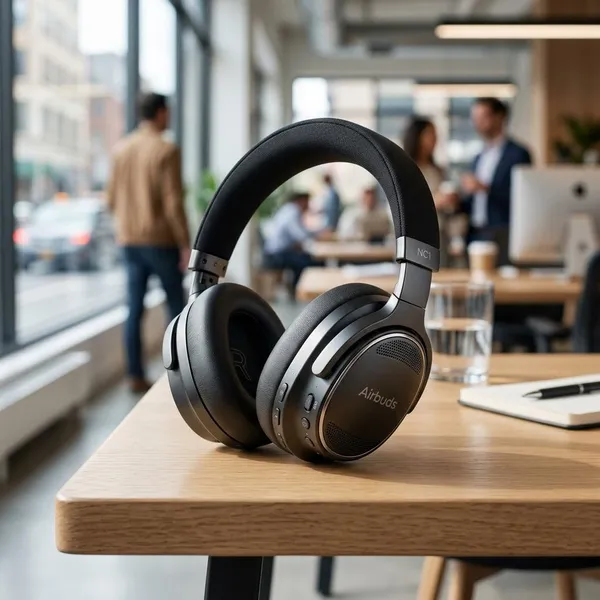
Airbuds NC1 noise cancelling works through two layers: electronic ANC and physical blocking from the ear tips. The electronic part helps with steady noise, while the in-ear seal stops some sound before ANC has to deal with it.
If you only check one thing, check the fit first. A slightly loose earbud can make the noise cancelling feel disappointing even when the electronics are working.
ANC reduces outside noise
ANC uses microphones and signal processing to reduce part of the surrounding sound. On the NC1, expect the best results with low, steady noise such as fans, engines, road noise, or air conditioning.
Do not use ANC as a safety tool. If you are near traffic, cycling, or walking through a busy area, keep enough awareness to hear what is happening around you.
Dual-earbud mode enables ANC
Use both earbuds when you want the strongest ANC effect. Single-earbud listening may still work for calls or audio, but noise cancelling can be reduced, inconsistent, or unavailable depending on how the earbuds handle one-sided use.
Proper ear tips improve noise blocking
A proper ear tip seal should feel secure without pain. If the earbuds loosen when you talk, walk, or smile, try another tip size or adjust the angle before judging the ANC.
- Thin sound: often means the seal is too loose.
- Pressure or soreness: the tip may be too large or inserted too firmly.
- Weak ANC in both ears: test a steadier noise source, such as a fan, to judge the effect more fairly.
How to Pair Airbuds NC1
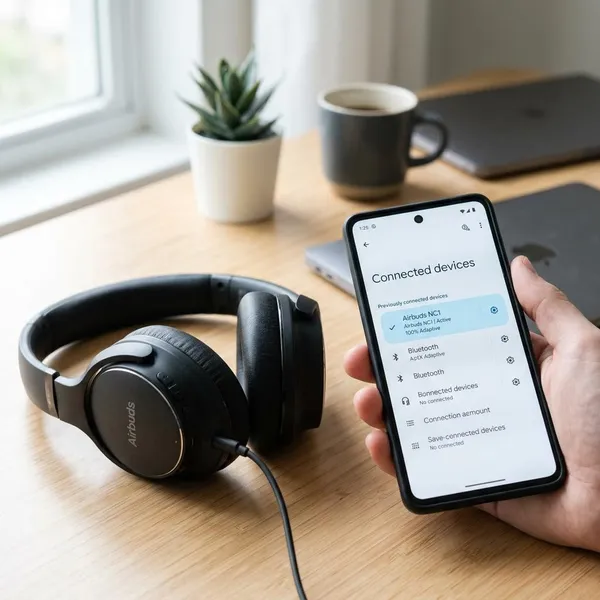
Pairing usually works best when both earbuds start from the case together. The simple order is: charge them, remove both earbuds, let them sync with each other, open Bluetooth settings, and select NC1.
Remove both earbuds from the case
Take both earbuds out of the charging case at the same time. If they do not wake up, reseat them in the case, check that the case has power, and make sure the charging contacts are not blocked by dust or film.
Let the earbuds connect to each other
Wait a few seconds before opening your Bluetooth list. True wireless earbuds often need a moment to create their own left-right connection first.
If you keep seeing only one side, put both earbuds back in the case, charge them briefly, and remove them together again. This is usually faster than repeatedly tapping the Bluetooth name on your phone.
Open your device's Bluetooth settings
Open Bluetooth settings on your phone, tablet, or laptop and keep the earbuds nearby. If the NC1 was previously paired to another nearby device, turn Bluetooth off on that device for a minute so it does not reconnect first.
Select NC1 to connect
Choose NC1 from the available Bluetooth devices. After connection, play audio and check both earbuds before putting the case away.
- Charge the case and both earbuds first.
- Remove both earbuds together.
- Wait briefly for the earbuds to sync with each other.
- Open Bluetooth settings and select NC1.
- If only one side works, return both earbuds to the case and repeat from the start.
How to Use Airbuds NC1 Controls
The NC1 controls are meant for quick actions: playback, track changes, volume, calls, ANC, and voice assistant access. Exact gestures can vary by unit or instruction sheet, so use the controls as assigned on your model rather than guessing through repeated random taps.
Play and pause audio
Use the assigned touch command to pause or resume audio. This is the control you will probably use most when someone speaks to you, you reach a checkout, or you need to hear your surroundings for a moment.
Change tracks
Track changes are useful when your phone is in a pocket or bag. If the earbuds keep registering play/pause instead of skip, your tap timing may be too quick, too slow, or too close to another gesture.
Adjust the volume
If your NC1 unit supports volume control from the earbuds, use it for small changes when moving between quiet and noisy spaces. If the gesture does not work, adjust volume on the phone and check the included instructions, because some Bluetooth earbuds do not map volume the same way on every device.
Manage phone calls
The earbuds can be used for hands-free calls when connected properly. For clearer calls, use them in lower-noise places when possible; wind, traffic, and crowded rooms can still make your voice harder for the other person to hear.
If a call comes through the phone instead of the earbuds, check the call audio output on your device before resetting the NC1.
Turn on ANC
Turn on ANC with the assigned mode command, then judge it in the right situation. A room with fan noise or a commute is a better test than a quiet bedroom, because the difference is easier to notice against steady background sound.
- ANC feels weak: use both earbuds and check the ear tip seal.
- One earbud is in use: switch to dual mode before judging noise cancelling.
- Battery is low: recharge before troubleshooting touch controls or ANC.
Open the voice assistant
Use the assigned gesture to open your phone's voice assistant. If nothing happens, check assistant permissions, lock-screen settings, and Bluetooth access on the phone; the earbuds may be sending the command correctly while the phone blocks it.
Conclusion
The NC1 makes the most sense if you want small earbuds for everyday listening, quick pairing, basic ANC, and simple call or media controls. Start with the basics before troubleshooting: charge the case, remove both earbuds together, select NC1, and test the ear tip fit. If you need heavy-duty silence or reliable noise reduction in unpredictable loud places, these are better viewed as convenient daily earbuds than a full replacement for stronger over-ear ANC headphones.