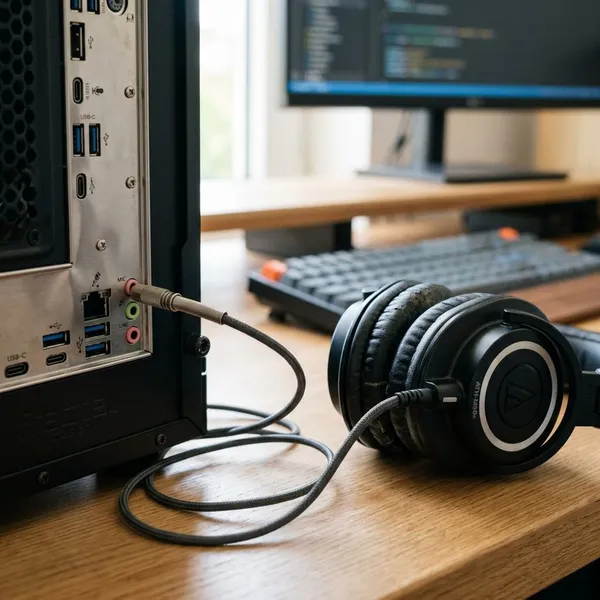
You can sometimes use wired headphone speakers as a basic microphone by plugging them into a compatible mic input and speaking very close to one earcup or earbud. It works only as a rough backup because the signal is weak, the sound is limited, and many modern devices will not detect the connection correctly.
Can headphone speakers work as a microphone?
Yes, but only in the simplest sense. A passive wired headphone driver can generate a tiny signal when sound moves it, so it can behave a little like a crude dynamic microphone. Treat it as an emergency trick for a quick test, not as a reliable replacement for a real mic.
Dynamic headphone drivers can pick up sound
Plain wired headphones and many wired earbuds use dynamic drivers. Those drivers are built to move when electricity is sent to them, but they can also move when your voice hits the diaphragm. That movement can create a small electrical signal at the plug.
This is most likely to work with basic analog headphones. Bluetooth headphones, USB headsets, and noise-canceling models usually have electronics in the path, so they are not good candidates for this passive trick.
The signal is usually very weak
The first thing to expect is low volume. Headphone drivers are designed to receive audio power, not produce a strong microphone signal, so your recording may barely move the input meter unless the mic input has enough gain.
- Best chance: mixer, recorder, or audio interface with adjustable gain.
- Unpredictable: laptop or desktop combo jacks.
- Usually wrong: a normal headphone output, because it is not a recording input.
The sound quality is limited
Speech will often sound thin, dull, or boxy. That may be fine if you only need to confirm that an input works or send a quick voice message in a low-risk situation.
Not every device will detect the input
A plug fitting into a jack does not mean the device will use it as a microphone. Phones and laptops with combo jacks may expect a specific TRRS headset wiring pattern, while many wired headphones use a TRS stereo plug with no dedicated mic contact.
If nothing appears in your recording settings, check the port type and adapter before blaming the headphones. In many failed setups, the driver can produce a signal, but that signal is not reaching the microphone input contact.
Why headphone speakers can pick up sound
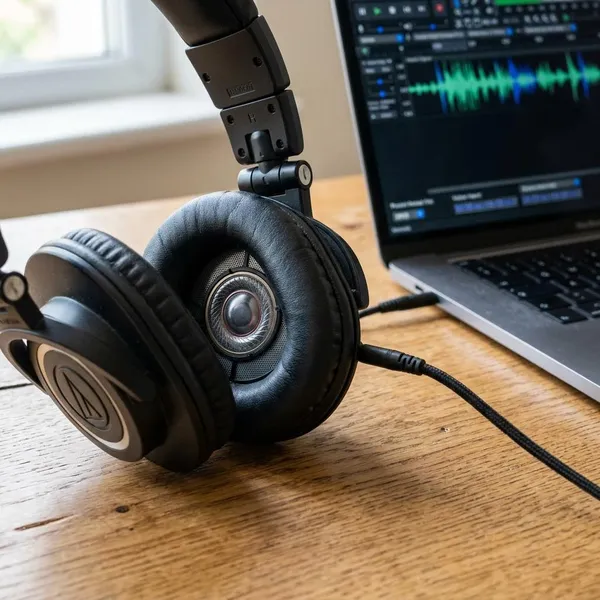
The reason this works is simple: a dynamic speaker and a dynamic microphone use a related electromagnetic idea in opposite directions. A speaker turns an electrical signal into movement; a dynamic microphone turns movement into a small electrical signal.
Speaker drivers move in response to sound
A headphone driver has a diaphragm, a coil, and a magnet. When audio plays, the coil moves the diaphragm and makes sound. When you speak into the earcup, your voice can move that same diaphragm slightly.
The moving diaphragm generates a small signal
As the diaphragm moves, the coil moves in the magnetic field and produces a small voltage. The important word is "small": it may be enough for a sensitive mic input to notice, but not enough for every computer or phone to capture cleanly.
A quiet room matters here. If you raise gain heavily in a noisy room, the setup may capture hiss, hum, and room noise along with your voice.
The same basic principle is used in dynamic microphones
Dynamic microphones also use a moving diaphragm and coil, but they are designed around speech pickup. The diaphragm, housing, output level, and pickup direction are chosen for recording. Headphones are tuned for listening, so the shared principle does not mean shared performance.
What you need to use headphones as a microphone
Before testing anything, check the signal path in this order: passive wired headphones, a real mic input, the right adapter, and enough gain. If one of those pieces is missing, the setup may fail even though the headphones themselves are not broken.
Wired headphones with dynamic drivers
Use a simple spare wired pair if you can. Older 3.5 mm headphones or basic earbuds are often better for experimenting than expensive headphones with extra controls, digital processing, or active noise cancellation.
A compatible microphone input
The input must be able to record and amplify a weak mic-like signal. Look for "Mic In," a microphone icon, a recorder input, or an interface channel with a gain knob. A headphone jack used for playback will not work as a microphone input just because the plug fits.
The correct plug or adapter
Adapter choice can decide the whole result. A stereo headphone plug is usually TRS, while many phone and laptop headset jacks expect TRRS wiring. If the contacts do not line up, the device may keep using its internal mic or detect nothing at all.
- Separate mic port: you may only need a simple size adapter.
- Combo headset jack: you may need a headset splitter or TRRS adapter.
- Audio interface or mixer: match the connector without forcing the plug.
Enough input gain
Gain is the difference between "barely audible" and "usable enough for a test." Start low, speak close, and raise the gain until you see a meter response or hear a clear voice. If maximum gain still gives only hiss and a faint voice, the input is probably not sensitive enough for this trick.
How to turn headphone speakers into a microphone
The practical setup is mostly trial and error, but do it in a controlled way. Make one change at a time so you can tell whether the problem is the port, the adapter, the selected input, or the gain level.
Connect the headphones to the mic input
Plug the wired headphones into a real microphone input using the adapter that matches your device. Do not force a connector, and do not test through a headphone output. If your device has both speaker and mic ports, choose the mic port.
Select the correct input device
Open your sound or recording settings and choose the input you are actually testing. On a computer, it is easy to think the headphones are working when the built-in laptop mic is still selected.
Raise the input gain slowly
Increase the gain gradually while speaking into the driver. Sudden maximum gain can make the result noisy and may hide what is really happening.
- No meter movement: try another adapter, port, or wired headphone pair.
- Voice is faint: move closer before adding more gain.
- Voice is harsh or noisy: lower gain and speak a little softer.
Speak close to one earcup
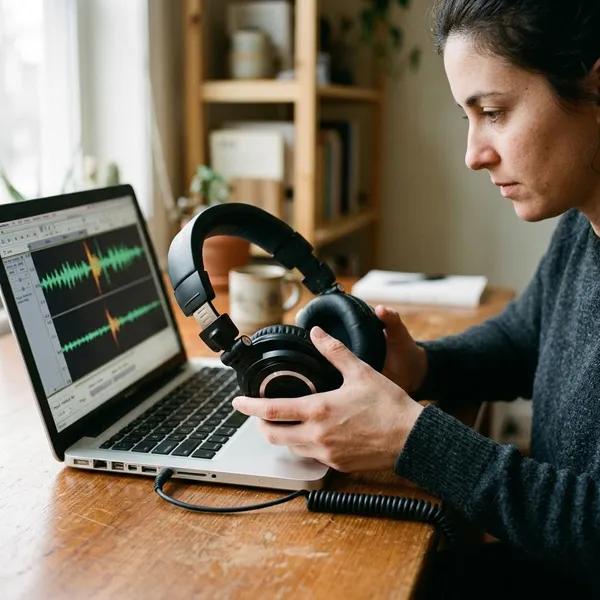
Use only one earcup or one earbud as the pickup point. Hold it very close to your mouth, roughly a couple of inches away or less, and aim your voice toward the driver opening.
This is the difference between a low-risk emergency setup and a failed one. Across a desk, it will usually be too quiet; close to your mouth, it may be clear enough for a short test or temporary message.
Test and adjust the recording level
Record a short sample and listen back before relying on it. A moving meter is not enough, because the recording may still be too noisy, distorted, or quiet to understand.
If the test is only for checking whether a mixer channel works, rough audio may be acceptable. If another person needs to understand you clearly for a call or recording, switch to a proper microphone instead of trying to rescue a weak headphone signal.
Conclusion
Headphone speakers can work as a microphone only when you have passive wired drivers, a compatible mic input, the right adapter, and enough gain. It is worth trying for a quick test or emergency voice pickup, but if the job matters or the setup has to work more than once, a real microphone is the smarter choice.