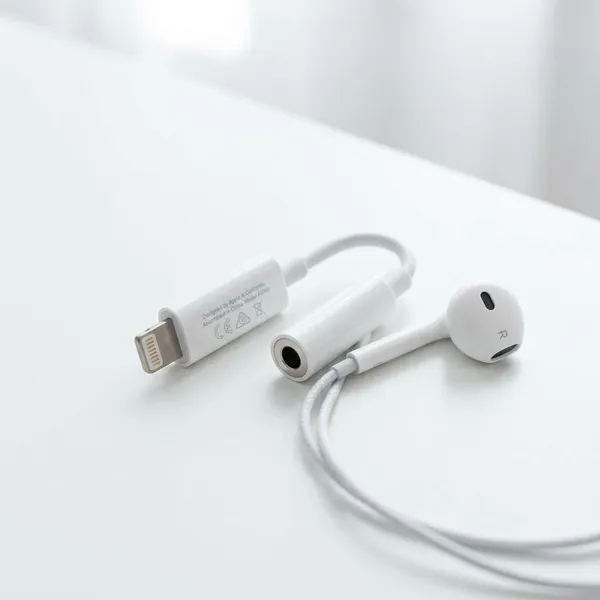
The apple usb-c to 3.5 mm headphone jack adapter is worth considering if you have a USB-C iPhone, iPad, or Mac and still use wired headphones, speakers, or a car AUX cable. The first thing to check is simple: your device must have USB-C and support audio through that port. If it does, Apple's adapter is usually the safest low-effort choice for everyday wired listening.
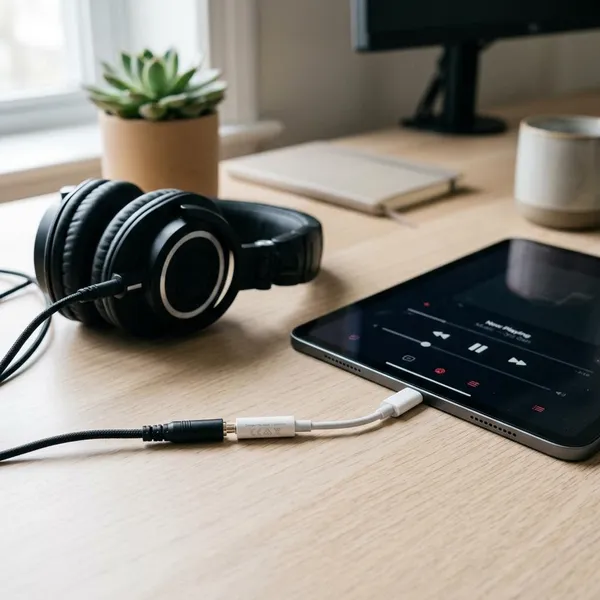
Apple USB-C to 3.5 mm Adapter at a Glance
Apple's USB-C headphone adapter does one job: it gives a USB-C device a standard 3.5 mm audio jack. That sounds basic, but it is useful when your headphones, desktop speakers, or car stereo still rely on a small round audio plug.
Official Apple audio adapter
This is Apple's own USB-C audio adapter, which makes it the most predictable option for people using newer Apple devices. Very cheap third-party adapters can work, but they are more likely to bring small annoyances such as low volume, unreliable detection, or microphone issues.
Connects 3.5 mm audio to USB-C
The adapter lets a normal 3.5 mm plug connect to a USB-C port. It is useful for wired earbuds on a commute, over-ear headphones at a desk, powered speakers at home, or an AUX cable in an older car.
Works with USB-C Apple devices
It is mainly intended for Apple devices with USB-C audio support, including USB-C iPhones, many USB-C iPads, and USB-C Macs. Do not buy it for an older Lightning iPhone; the connector is physically different, and you would need a Lightning audio adapter instead.
Still sold by Apple
Apple still sells this adapter, so you do not have to hunt for old stock or rely only on unknown marketplace listings. Buying from Apple or a trusted retailer also reduces the chance of getting a lookalike product with inconsistent performance.
Compact plug-and-play design
There is no battery, pairing step, or app setup. For light use, one adapter in a bag is enough. For daily use, it often makes sense to leave it attached to the headphones or AUX cable you use most, because the small cable can wear faster if it is constantly pulled and twisted.
Which Devices Work with the Apple USB-C Headphone Adapter?
The safest match is a USB-C Apple device that supports audio output through USB-C. A USB-C port alone is not the whole answer, especially with non-Apple hardware, so check the device type before assuming it will work.
USB-C iPhones
USB-C iPhones are the clearest use case. Plug in the adapter, connect wired headphones or an AUX cable, and audio should normally route through the wired connection.
- Good fit: commuting, calls, flights, backup headphones, car AUX use.
- Not a fit: older iPhones with Lightning ports.
USB-C iPads
Many USB-C iPads work well with the adapter for videos, classes, games, and calls. It is especially handy on a shared family iPad, where plugging in headphones is often simpler than pairing and unpairing Bluetooth earbuds for different people.
USB-C Macs
USB-C Macs can use the adapter, although many Macs already have a built-in headphone jack. It still makes sense if your Mac is connected to a dock, the built-in jack is awkward to reach, or you want a dedicated wired headset left ready for meetings.
Other compatible USB-C devices
Some Android phones, tablets, laptops, and handheld devices may work, but non-Apple compatibility is not something to assume. Before buying it for a non-Apple device, search for your exact model plus "USB-C audio adapter" or check whether the device supports external USB-C audio output.
- Connector: your device must have USB-C, not Lightning.
- Audio support: the USB-C port must support audio output.
- Accessory type: standard headphones, earbuds, speakers, and AUX cables are the safest use cases.
- Microphone needs: check more carefully if calls or voice recording matter.
How to Use the Apple USB-C Headphone Adapter
Using the adapter is usually as simple as connecting both ends and pressing play. If there is no sound, the problem is often the output selection, a half-inserted plug, or Bluetooth still taking over the audio route.
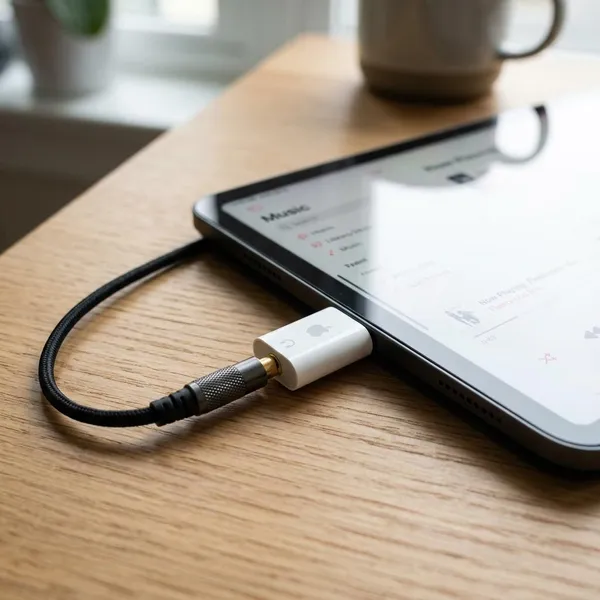
Plug the adapter into USB-C
Insert the USB-C end fully into the device. If you use a thick case, make sure the case is not stopping the connector from seating properly.
Connect the 3.5 mm audio plug
Push the headphone, speaker, or AUX plug all the way into the adapter. One-sided sound, crackling, or very low volume can come from a plug that looks connected but is not fully seated.
Start audio playback
Play a short track, video, or voice memo before relying on it for a meeting, class, or car trip. That quick test confirms the device, adapter, and cable are all working together.
Check the audio output if needed
If sound still comes from the device speaker or a Bluetooth headset, open the audio output controls and choose the wired connection if it appears. For a car AUX setup, it can help to connect the adapter and AUX cable before starting playback, especially if the phone was recently connected to the car by Bluetooth.
- No sound: reinsert both ends and raise the volume slowly.
- Wrong output: disconnect Bluetooth briefly and test again.
- Static or dropouts: check for dust, a worn AUX cable, or strain on the small adapter cable.
Is the Apple USB-C Headphone Adapter Worth Buying?
For most Apple users who still touch wired audio, yes. It is not the cheapest possible adapter, but it is small, official, and less likely to waste your time with compatibility surprises.
Good for simple wired listening
Choose it if you want audio that works without charging, pairing, or switching devices in Bluetooth settings. This matters most for travel, school, office calls, and any situation where "just plug it in" is better than troubleshooting wireless earbuds.
Good for Apple device compatibility
The official Apple adapter is the sensible pick when reliability matters more than saving a few dollars. If you only need a spare for occasional listening, a reputable third-party option may be fine, but for daily calls or regular iPhone/iPad use, Apple's version is the lower-risk choice.
| Your situation | Best judgment |
| Daily wired headphones or calls | Buy the official Apple adapter for fewer compatibility headaches. |
| Occasional backup use | Still useful, especially for travel or low-battery moments. |
| Only wireless earbuds | Not essential unless you want an emergency wired option. |
| Non-Apple USB-C device | Check model-specific support before buying. |
Good for existing 3.5 mm headphones
If you already own comfortable wired headphones, a favorite headset, desktop speakers, or an AUX cable in the car, the adapter is cheaper and simpler than replacing everything. It is less appealing if your 3.5 mm gear is poor quality or if you never use wired audio anymore.
Conclusion
The Apple USB-C headphone adapter is a small purchase that makes the most sense when you already have wired audio gear you like. Check the port first, be more cautious with non-Apple devices, and choose the official adapter if you want the most predictable experience with USB-C iPhones, iPads, and Macs.