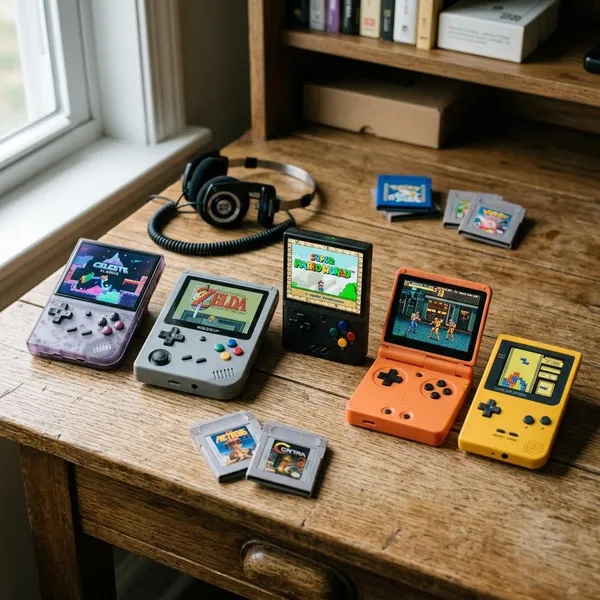
If you want the best portable console for emulators, start with the systems you actually play: a cheap Linux handheld is enough for SNES, GBA, arcade, and PS1, while PS2, GameCube, 3DS, and PC games push you toward stronger Android hardware or a Steam Deck. Screen shape matters almost as much as power, especially if your library is mostly 4:3 classics or dual-screen Nintendo games.
Retroid Pocket 6
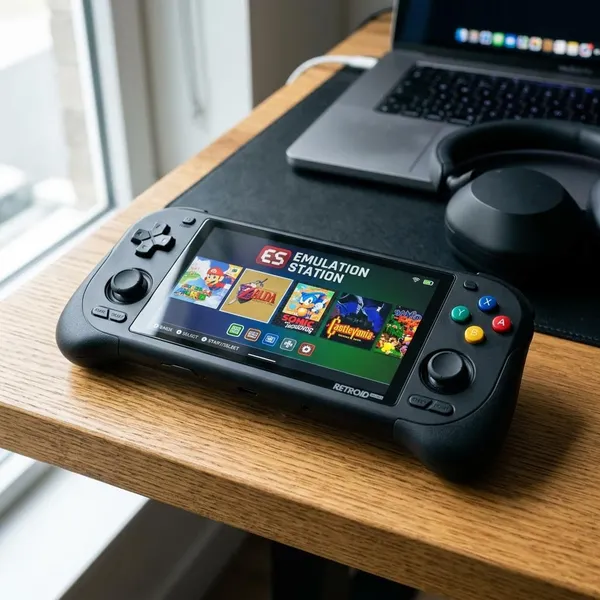
The Retroid Pocket 6 is the easiest recommendation for someone who wants one compact Android handheld instead of a drawer full of specialist devices. It sits in the practical middle: more capable than budget Linux models, smaller than a handheld PC, and flexible enough for many emulator setups.
Strong value for higher-end emulation
The main appeal is value at the higher end of portable emulation. You are not buying it just for NES or GBA; you are buying it because you want to reach into systems where cheaper devices start to struggle. For PS2 and GameCube, treat it as a capable compact choice rather than a guarantee that every game will run perfectly with no adjustment.
Compact 5.5-inch AMOLED design
The 5.5-inch AMOLED screen is large enough for PSP, emulator menus, subtitles, and Android settings without making the device feel like a small tablet. That matters if you plan to carry it often rather than leave it next to the sofa.
Good balance of power and portability
This is the Retroid Pocket 6's real selling point: it avoids the two common mistakes buyers make. One mistake is buying a tiny budget handheld and expecting smooth higher-end emulation. The other is buying a large handheld PC, then realizing it is too bulky for quick sessions.
- Good fit: one main travel-friendly device for mixed retro and mid-to-high emulation.
- Less ideal: buyers who want no setup or only play 8-bit and 16-bit games.
- Check first: whether your must-play PS2 or GameCube titles are known to run well on this class of Android hardware.
Best suited to buyers wanting one main handheld
Choose the Retroid Pocket 6 if you want a sensible "one handheld" setup and you are willing to configure Android properly once. It is especially good for someone who plays at home, travels with a small bag, and wants broad coverage without stepping up to the Steam Deck OLED.
ANBERNIC RG35XX H
The ANBERNIC RG35XX H is the budget pick for people who mostly want classic games and a simple experience. It is not trying to compete with premium Android handhelds, which is part of why it works: the expectations are clear, the price is low, and the device stays focused.
Affordable entry into retro emulation
The RG35XX H is a low-risk first buy. It is the kind of handheld that makes sense for a beginner testing whether portable emulation fits their habits, or for an experienced user who wants a small second device for quick sessions. The key is not to expect it to behave like a PS2 or GameCube machine.
Compact 3.5-inch 4:3 display
A 3.5-inch 4:3 screen suits many older home consoles because the image fills the display naturally. For SNES, Genesis, PS1, arcade games, and older RPGs, that often looks better than playing the same game in a small centered box on a widescreen device.
The tradeoff is text size. If you mainly play text-heavy RPGs for long sessions, a larger 4:3 handheld may be easier on your eyes.
Simple Linux-based experience
Linux is the reason this device feels friendly. It usually behaves more like a dedicated retro console than a small Android tablet: turn it on, choose a system, play. That simplicity is valuable if you do not want to install apps, adjust front ends, or manage Android permissions.
Best suited to older console libraries
The RG35XX H is best when your library stops around PS1 and classic arcade hardware. It is a strong pick for short breaks, travel, platformers, fighting games, puzzle games, and older handheld titles. If your wishlist starts with PS2, GameCube, or 3DS, skip it and move up a tier.
ANBERNIC RG476H
The ANBERNIC RG476H is for players who care about classic systems but want a larger 4:3 screen and more flexibility than an entry-level Linux handheld. It is not the broadest device here, but it has a clear purpose: make older 4:3 libraries feel better without giving up Android emulator options.
Larger 4:3 screen for classic systems
The larger 4:3 display is the main reason to consider the RG476H over a typical widescreen Android handheld. Classic games use the screen more naturally, menus are easier to read, and you avoid the constant choice between black bars and stretched visuals.
More power than entry-level Linux handhelds
The extra power matters once you go beyond the safest retro systems. Dreamcast, Saturn, N64, PSP, and some lighter sixth-generation games benefit from more headroom. Do not buy it expecting the same ceiling as a premium Android handheld, but it gives you more room than a basic budget device.
Android adds emulator flexibility
Android gives you more emulator choices, better front-end options, and more control over layouts and settings. That is useful if you like tuning each system, but it also means the first evening with the device may involve setup instead of gaming. If that sounds annoying, a simpler Linux handheld may be a better match.
Best suited to retro games that favor 4:3
Pick the RG476H if your favorite games were designed for 4:3 and you want them to look right on a larger screen. Skip it if your library is mostly PSP, Android games, game streaming, or widescreen content, where a 16:9 device will usually feel more natural.
AYN Thor
The AYN Thor is the specialist on this list. It exists for a problem most handhelds handle badly: DS and 3DS emulation on a single screen. If those systems are a major reason you are shopping, the Thor deserves attention even if a more conventional handheld looks cleaner on a spec sheet.
Dual screens suit DS-style layouts
DS and 3DS games were built around seeing two screens at once. On a normal single-screen handheld, you often shrink both screens, swap between them, or use an awkward overlay. The Thor's dual-screen layout reduces that friction and makes map-heavy, menu-heavy, and touch-heavy games feel closer to their original design.
Touch displays improve dual-screen play
Touch is not a bonus for DS and 3DS; in many games it is part of the control scheme. Puzzle games, rhythm games, menu-heavy RPGs, and stylus-driven titles feel much better when you are not forcing everything onto buttons or a virtual workaround.
Android supports flexible emulator setup
Because it runs Android, the Thor can use multiple emulator apps and layout options. That flexibility is helpful for DS and 3DS because different games may need different screen arrangements, touch behavior, or performance settings.
- Worth it: DS and 3DS are among your top systems.
- Think twice: you mainly want standard retro consoles on one screen.
- Check first: comfort, hinge design, and whether your preferred emulator supports the layout you want.
Best suited to DS and 3DS fans
The Thor is best for buyers who know dual-screen Nintendo libraries are not just a side interest. It is less universal than the Retroid Pocket 6 or AYN Odin 3, but for DS and 3DS fans, that specialization is exactly the point.
AYN Odin 3
The AYN Odin 3 is the premium Android pick for buyers who want more performance headroom and a better display without moving to a full handheld PC. It is not the budget-friendly choice, but it makes sense when PS2, GameCube, Wii, and 3DS are high priorities.
High-end Android performance
High-end Android performance helps most with systems that are inconsistent on weaker devices. PS2 and GameCube are the obvious examples, but Wii and 3DS can also benefit depending on the game and emulator. Stronger hardware does not remove every compatibility issue, but it gives you a better starting point.
Large 120Hz OLED display
The large 120Hz OLED display makes the Odin 3 feel more premium in normal use, not just in games. Menus look cleaner, contrast is stronger, and widescreen systems such as PSP have more room to breathe. The high refresh rate will not change every retro title, but it improves the overall feel of Android navigation and supported content.
More headroom for demanding emulators
Headroom is the Odin 3's biggest advantage over cheaper Android handhelds. If a game already runs well on a mid-range device, you may not notice much beyond screen and build quality. If a game is borderline, extra performance can mean fewer compromises and less per-game tweaking.
Best suited to premium handheld buyers
The Odin 3 is best for buyers who want a polished Android emulation device and are comfortable paying for performance they may not use every day. It is overkill for a pure SNES and PS1 library, but very tempting if you want stronger coverage of demanding systems in a still-portable form.
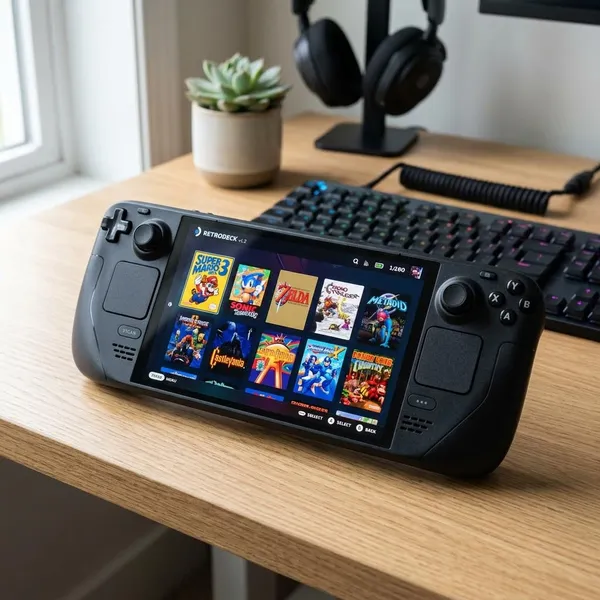
Steam Deck OLED
The Steam Deck OLED is the best fit when emulation is only part of what you want. It is larger than the Android and Linux handhelds here, but it also gives you PC gaming, mature emulator support, SteamOS, desktop access, and a huge community around setup tools.
Strong emulation across many systems
The Deck's strength is breadth. It can cover classic systems easily and has strong support for many more demanding platforms through mature PC emulators. The extra flexibility is useful if you like experimenting, managing files directly, or using community-tested setups.
SteamOS offers broad software support
SteamOS gives the Deck a good middle ground between console-like use and PC control. You can stay in the gaming interface most of the time, then switch to desktop mode when you need to manage emulators, files, or tools such as EmuDeck.
Compared with a small Linux retro handheld, it is more involved. Compared with a generic Windows handheld, it often feels more focused and easier to live with.
Large screen improves longer sessions
The OLED screen is a major comfort advantage for RPGs, strategy games, visual novels, PSP, and any game with small text. It also makes emulator menus and setup screens less cramped. The tradeoff is obvious: the Deck is a carry-case device, not a pocket device.
Best suited to users who also want PC games
Choose the Steam Deck OLED if you want emulation plus Steam games, indie releases, older PC titles, and streaming on one machine. If you only want a small retro handheld, it is too large and expensive. If you want one device that can replace several gaming setups, the size starts to make sense.
Conclusion
The right choice is the one that matches your real library, not the most powerful handheld on paper. Pick the ANBERNIC RG35XX H for cheap classic play, the RG476H for a larger 4:3 retro focus, the AYN Thor for DS and 3DS, the Retroid Pocket 6 for the best compact all-round balance, the AYN Odin 3 for premium Android headroom, and the Steam Deck OLED if PC games belong in the same device.