If you want the safest answer, the best xbox console for most people in 2026 is the Xbox Series X 1TB with a disc drive. It has the strongest mix of 4K performance, storage, physical game support, and long-term flexibility. The Series S is still the smarter buy if you mainly want a low-cost Game Pass machine for a bedroom, kids' room, or 1080p screen.
What Is the Best Xbox Console?
The Xbox Series X 1TB Disc is the best all-round choice because it avoids the biggest regrets: limited storage, no disc support, and weaker 4K performance. Before choosing, check three things in this order: your TV, whether you still use discs, and how many large games you want installed at once.
| If this sounds like you | Best Xbox pick | Why it fits |
|---|---|---|
| Main living-room console, 4K TV, mixed game library | Xbox Series X 1TB Disc | Best balance of power, discs, and storage |
| Lowest price, digital games, smaller TV or monitor | Xbox Series S 512GB | Cheap entry point with current Xbox game support |
| Shared household with lots of installs | Xbox Series X 2TB Disc | Less storage cleanup and more room for big games |
| Digital-only buyer who still wants 4K performance | Xbox Series X Digital | Series X power without paying for a disc drive |
Current Xbox Models
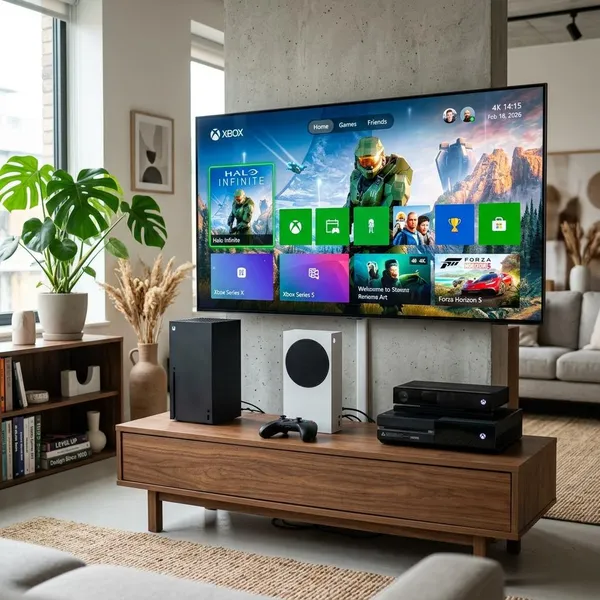
The current Xbox lineup mainly splits by power, storage, and disc support. Do not choose by model name alone; two consoles can both say "Series X" while giving you a very different ownership experience if one removes the disc drive or adds more storage.
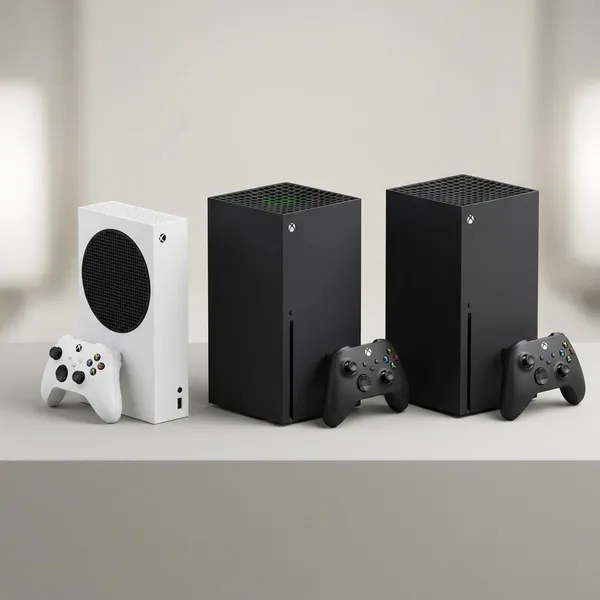
Xbox Series X 1TB Disc
This is the default Series X and the strongest recommendation for most buyers. It is the right choice if your console will sit under a 4K TV, if you buy some physical games, or if you want the most flexible Xbox without jumping to the more expensive 2TB version.
The disc drive is not just a nostalgia feature. Used games, older compatible discs, borrowed games, and Blu-ray playback can all matter over several years, especially if more than one person uses the console.
Xbox Series X 1TB Digital
Only choose the 1TB Digital Series X if the price saving is meaningful and your library is already fully digital. If the disc version is only slightly more expensive, the drive is usually worth having even if you use it rarely.
Xbox Series X 2TB Disc
Treat the 2TB Series X as the comfort upgrade. It is for players who want the regular Series X benefits but dislike deleting games, moving installs, or deciding what to remove before downloading a new release.
The mistake is buying it because you expect better graphics than the 1TB Series X. The upgrade is storage space, not extra power.
Xbox Series S 512GB
The 512GB Series S is the cheapest current Xbox and a sensible starter console. It is small, quiet, and easy to place in a bedroom, dorm, office, or second TV setup.
Its limitation is not whether it can play current Xbox games; it can. The issue is how quickly storage fills and how much you care about visual quality on a large 4K screen. For light use, that trade-off is fine. For a main household console, it can feel cramped.
Xbox Series S 1TB
What makes the Series S 1TB appealing is simple: it fixes the most annoying weakness of the 512GB model while keeping the smaller, cheaper, digital-only idea. It is a better fit for regular Game Pass users who want several games installed but still do not need Series X performance.
Watch the price gap carefully. If the 1TB Series S gets close to a Series X deal, the stronger console becomes easier to justify.
Is Xbox Series X Worth It Over Series S?
The Xbox Series X is worth it over the Series S if you care about 4K image quality, physical games, or keeping the console for several years. The Series S still wins on price, size, and entry-level value, so the better console is not always the better purchase.
Better for 4K gaming
Disc or digital, the Series X is the better match for a 4K TV. Games can look sharper and hold up better in demanding scenes, especially on a larger screen where lower resolution is easier to notice.
The Series S can connect to a 4K TV, but it is more comfortable as a 1080p or 1440p console. If your setup is a small monitor on a desk, the difference may not bother you. If it is a big living-room display, the Series X makes more sense.
Better for physical games
Some buyers underestimate how useful a disc drive can be. Physical games can be borrowed, bought used, resold, or given as gifts, and that flexibility can matter more over time than it seems on purchase day.
- Choose a disc model if you own older Xbox discs or like buying used games.
- Choose digital if you already buy everything through the Microsoft Store or Game Pass.
- Avoid digital-only if you are unsure; you cannot add a disc drive later.
Better for demanding games
When newer games push the hardware harder, the Series X has more headroom. Depending on the game, that can mean better resolution, steadier performance, or fewer cutbacks to visual features.
This matters most for players who buy big releases at launch or care about how games will feel a few years from now. A casual player who mostly sticks to Minecraft, sports games, or a small rotation of multiplayer titles may not feel the upgrade as strongly.
Series S offers better entry-level value
The Series S is still a smart buy when the goal is access, not premium performance. Pair it with Game Pass and it becomes a low-cost way to try lots of games without building a large paid library immediately.
For kids, the Series S often makes more sense than a Series X. It costs less, fits easily in a bedroom, and is good enough for many family-friendly games. For a teenager using a 4K TV, playing large competitive shooters, or asking for physical games as gifts, the Series X becomes the safer long-term choice.
Conclusion
The Xbox Series X 1TB Disc is the best pick if you want one console that handles most homes, most games, and most buying habits without obvious compromises. Choose the Series S when price matters more than 4K sharpness or disc support, and consider the 2TB Series X only if storage convenience is worth paying extra for. The right choice is the one that matches your actual setup: TV first, discs second, storage third.