A good 4k action camera is worth buying when it gives you stable, usable footage in the situations you actually film, not just a bigger resolution number. Start by checking real sample clips, stabilization in 4K mode, battery limits, and mounting needs; those will affect your results more than most headline specs. If you mainly want quick social clips, 1080p may still be enough, but 4K gives you more detail and more room to crop when the camera can handle it well.
What does 4K mean on an action camera?
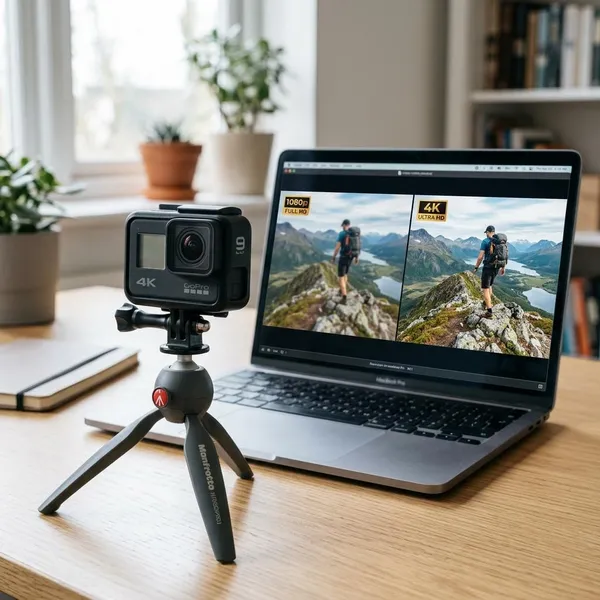
4K usually means the camera records at around 3840 × 2160 pixels, which is much more detailed than 1080p Full HD. On an action camera, that extra resolution can help with wide outdoor scenes, fast movement, and footage you may want to crop later.
The catch is that 4K is only useful if the rest of the camera is good enough. A weak sensor, soft lens, poor processing, or shaky stabilization can still produce disappointing video. Some cheaper cameras also advertise 4K while relying on upscaling, which creates a larger file without capturing much more real detail.
Think of 4K as extra editing space rather than an automatic quality guarantee. It is helpful if you film bike rides from a handlebar, family trips with imperfect framing, or travel clips you may later watch on a TV. It is less important if you only post short clips where speed, battery life, and easy sharing matter more.
4K vs 1080p on an action camera
The practical difference between 4K and 1080p is not just sharpness. It changes how much you can crop, how large the files are, how hard editing feels, and how quickly the camera drains battery or heats up.
Detail and room to crop
4K gives you more room to fix a shot after recording. That matters because action cameras are often mounted on helmets, bikes, chest straps, or selfie sticks where perfect framing is not realistic.
If your final video will be 1080p, recording in 4K can still be useful. You can crop closer to a rider, straighten a slightly tilted horizon, or create a tighter second angle from one wide clip without losing as much clarity. The difference is easier to notice on a TV or computer monitor than in a tiny social media preview.
File size and editing demands
4K footage takes more storage and asks more from your phone or computer. A short holiday in 4K can fill a memory card quickly, especially at higher frame rates or bitrates.
- Choose 4K if you want better detail, plan to crop, or have enough storage and editing power.
- Choose 1080p if you want quick sharing, long clips, smaller files, or easier editing on an older device.
- Test one clip first before filming a full trip, especially if you edit on your phone.
Codec support can matter too. Some cameras use efficient formats that save space but feel slow on older devices. If playback stutters during a simple trim, the camera may be fine, but your workflow will not be pleasant.
Battery life and heat
4K usually drains the battery faster than 1080p and can create more heat. This becomes more noticeable during long rides, continuous event recording, dashboard-style use, or filming in direct summer sun.
For short, important clips, 4K is usually manageable. For a full day of travel, a long family event, or a bike ride where you do not want to stop often, 1080p or mixed shooting may be smarter. Record the best moments in 4K, then switch down when recording time matters more than maximum detail.
Which 4K action camera features matter most?
The best spec sheet is not always the best camera. For real use, prioritize the features that prevent bad footage: poor stabilization, weak low-light video, short battery life, awkward mounting, and unusable sound.
Sensor quality and low light footage
Sensor quality decides how much real detail the camera captures, especially when the light is not ideal. Evening walks, indoor birthday clips, forest trails, and cloudy days often reveal the gap between a decent camera and a cheap one.
When checking sample footage, look for moving subjects in dim scenes. Heavy noise, smeared faces, blown-out lights, and sudden color shifts are warning signs. If you often film indoors or near sunset, a cleaner sensor is more valuable than a long list of extra shooting modes.
Stabilization and horizon leveling
Stabilization may improve your footage more than resolution does. A sharp 4K clip is still unpleasant if every step, bump, or handlebar vibration shakes the frame.
Check whether stabilization works in the exact 4K mode you want to use. Some cameras crop heavily, disable stabilization at certain frame rates, or limit horizon leveling to lower settings. Horizon leveling is especially useful for cycling, skiing, boating, and handheld travel clips because it keeps tilted shots from looking chaotic.
4K frame rates and slow motion
For general travel and family clips, 4K/30 is often enough. For faster movement such as biking, skiing, pets running, or water sports, 4K/60 usually looks smoother and gives you more flexibility in editing.
Slow motion is where the details matter. Many cameras require you to drop to 1080p or 2.7K for higher frame rates like 120fps. That is not necessarily bad, but you should know the tradeoff before buying. A reliable 4K/60 mode is often more useful than an impressive slow-motion number that only works with lower quality or weaker stabilization.
Waterproof ratings and mounting options
Waterproofing should match your real risk. Rain, splashes, and beach spray are different from snorkeling or repeated underwater use. Check the camera's stated depth rating, whether a housing is needed, and whether buttons or touch controls still work well when wet.
- For travel and family use: prioritize easy mounts, a simple grip, and enough splash resistance for sudden weather.
- For biking or helmets: check mount security, vibration, and whether the camera is easy to start with gloves.
- For water use: look at housing needs, floating grips, and how audio changes once the camera is sealed.
Mount compatibility also affects the real cost. A camera that works with common action mounts is easier to expand later with a chest strap, suction mount, tripod adapter, or handlebar clamp.
Audio and microphone support
Built-in microphones are fine for casual clips, but wind, traffic, water, and distance can make voices hard to understand. If you plan to vlog, talk while walking, or record family moments with natural sound, audio is not a minor detail.
Look for usable wind reduction and a practical way to connect an external microphone. Some cameras need adapters, some use USB-C, and some support wireless systems. Also check whether audio remains usable with a waterproof case, because protection often makes sound much more muffled.
How to compare 4K action cameras before buying
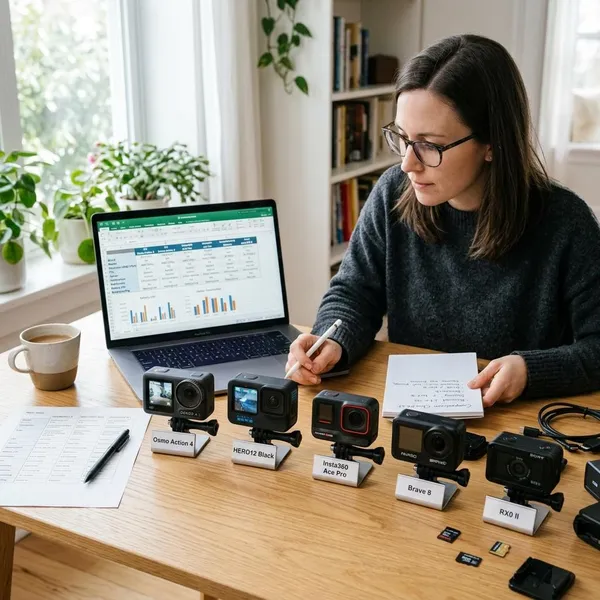
Compare cameras in the mode and situation you will actually use. Product pages make most models sound capable, but real footage, mode restrictions, recording time, and accessory costs show the difference faster.
Watch samples that match your activities
A sunny beach demo will not tell you much about indoor family clips, cloudy cycling footage, or night street video. Search for samples that look like your own use case: helmet-mounted biking, walking travel footage, snorkeling, car use, vlogging, or kids running around in mixed light.
Do not only judge sharpness. Watch how the camera handles shadows, bright skies, quick turns, skin tones, wind noise, and vibration. User footage is often more useful than polished promotional clips because it shows what the camera does when conditions are not perfect.
Check feature limits in your preferred mode
Many disappointments come from assuming that every feature works at the same time. A camera may offer 4K/60, stabilization, horizon leveling, external microphone support, and long recording, but not necessarily together.
Before buying, write down your must-have mode in one line. For example: "4K/60 with stabilization for mountain biking" or "4K/30 with external mic for travel vlogging." Then confirm that the camera supports that exact combination. If it does not, the headline specs are less useful than they look.
Compare recording times at the same settings
Battery claims are only fair when the settings match. Compare cameras at the same resolution, frame rate, stabilization level, and approximate temperature whenever possible.
The question to answer is practical: how long can the camera keep recording in your chosen mode before the battery dies, the card fills, or heat becomes a problem? For long hikes, road trips, sports events, or timelapses, that answer matters more than a feature you will use once.
Include cards, mounts, and spare batteries in your budget
The camera body is not the full price. Most people need a reliable microSD card, at least one spare battery, and the right mount for their activity. Vloggers may also need a microphone adapter or wireless mic setup.
- Pick your main use: travel, cycling, family clips, water sports, car footage, or vlogging.
- Choose your normal recording mode: such as 4K/30, 4K/60, or 1080p for longer sessions.
- Add the real accessories: card, batteries, charger, mounts, housing, float grip, or microphone parts.
This is where a cheaper camera can become less attractive, or a mid-range model can make more sense because it includes useful accessories or works with common mounts.
Conclusion
Choose the camera that solves your real filming problem first: stable footage, enough battery, usable mounts, acceptable audio, and 4K quality that holds up in normal conditions. Paying more can be worth it for rough sports, water use, low light, or frequent vlogging, while casual travel and family clips may not need a flagship model. If two options look close, compare the same 4K mode side by side and choose the one with fewer practical compromises.