If you want earbuds for running, walking, calls, and daily listening without sealing your ears shut, the amazfit up bluetooth headphones make the most sense as comfort-first open-ear earbuds. They are not the right pick if you want heavy bass or strong noise blocking, but they are a practical choice if awareness, light weight, and all-day wear matter more.
How Do Amazfit Up Fit and Feel?
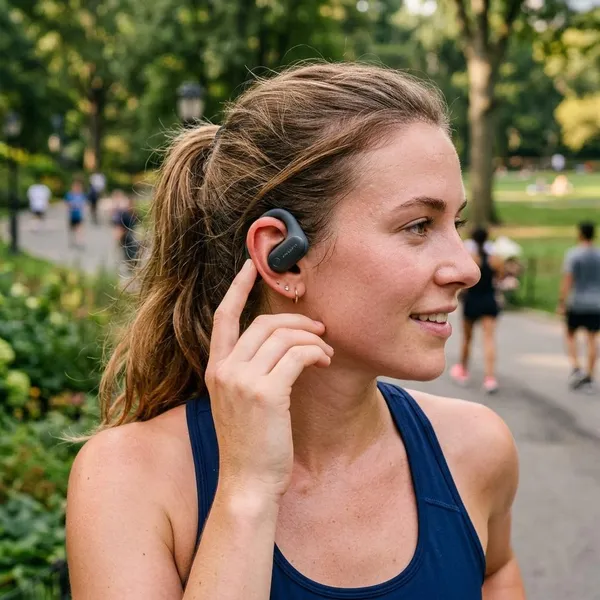
The fit is the main reason to consider Amazfit Up. They sit around the ear instead of pushing into the ear canal, so the first thing to check is not sound quality or app features, but whether you like the clip-on feeling on your own ears.
For someone who gets sore ears from silicone tips during long calls, this design can feel like a relief. For someone who wants a locked-in sports fit for fast intervals or trail running, it may feel less reassuring than earbuds with hooks.
Clip-on design leaves the ear canal open
The clip-on design keeps the ear canal open, which means you do not get the plugged-up feeling of sealed earbuds. You can still hear voices, traffic, announcements, and other everyday sounds while music or podcasts play in the background.
This is useful for commuting, walking the dog, or working in a shared room where you do not want to remove an earbud every time someone speaks. The trade-off is that outside noise always stays part of the listening experience.
5g build keeps them light
At about 5g per earbud, Amazfit Up feel closer to a small accessory than heavy workout gear. That low weight matters during longer use because less pulling on the ear usually means fewer adjustments.
- Good for long desk sessions: less pressure than many in-ear earbuds.
- Good for walks and errands: light enough to forget you are wearing them.
- Less ideal for rough movement: very intense exercise may still call for a firmer sports design.
No ear hooks get in the way
Without ear hooks, Amazfit Up are easier to wear with glasses, sunglasses, and some hats. They also look less sporty, which helps if you want one pair of earbuds for both workouts and normal daily use.
The downside is simple: ear hooks exist for extra security. If your priority is maximum hold during sprint drills, jumping workouts, or uneven trails, a hook-based pair may still feel safer.
Open fit reduces in-ear pressure
Nothing presses into the ear canal, so Amazfit Up avoid the pressure and irritation some people get from silicone tips. That is especially valuable for podcasts, calls, or casual music sessions that last more than an hour.
How Do Amazfit Up Sound?
Amazfit Up sound best when you judge them as open-ear earbuds, not as replacements for sealed in-ear models. Expect clear voices, easy listening, and better awareness, but not deep bass or private, isolated sound.
Vocals sound clear and crisp
Voices are the strength here. Spoken content, video audio, and vocal-led tracks come through clearly enough for normal daily use, which makes the earbuds easy to live with for calls, podcasts, and casual listening.
If your day includes walking meetings, YouTube videos at your desk, or audiobook listening while doing chores, this tuning is a better match than it may look on a spec sheet.
Bass is lighter than in-ear earbuds
Bass is lighter because there is no tight seal. You still hear the rhythm, but you do not get the same low-end punch or rumble that sealed earbuds can create.
| Podcasts and calls | Clear and easy to follow |
| Pop and acoustic music | Generally pleasant, with lighter body |
| EDM, hip-hop, action video | Less exciting than in-ear earbuds |
| Noisy train or gym | Outside sound competes with the audio |
Open audio keeps surroundings audible
Open audio is the feature, not a flaw. It lets you keep some attention on the room, road, or office while still listening.
This is where Amazfit Up can be better than sealed earbuds for everyday life. If you are walking near traffic, waiting for a station announcement, or keeping an ear out for a child at home, open listening is more practical than full isolation.
No ANC blocks outside noise
There is no active noise cancellation, so these are not the earbuds to choose for blocking engine noise, loud gym music, or a busy office. Turning up the volume can help a little, but it does not change the basic open-ear design.
Are Amazfit Up Good for Running?
Amazfit Up are good for light to moderate running if you want to hear your surroundings. They are better for steady outdoor runs than for aggressive training where you need the most secure fit possible.
For road runners, the main advantage is awareness. For treadmill users, the main advantage is comfort. For interval runners or trail runners, the main question is whether the clip-on fit feels stable enough on your ears.
Open ears improve outdoor awareness
During outdoor runs, open ears help you hear cars, bikes, footsteps, dogs, and people around you. That does not replace normal caution, but it is a real advantage over earbuds that seal you off from the environment.
Clip-on fit stays secure during light runs
The clip-on fit should be secure enough for many light runs, walking intervals, and gym warm-ups. The low weight helps reduce bounce, and there is no silicone seal to loosen as you sweat.
- Good match: steady jogs, brisk walks, treadmill sessions, casual gym use.
- Use caution: sprints, jumping workouts, technical trails, very sweaty sessions.
- First check: do a short test run before relying on them for a long route.
IPX4 handles sweat and light rain
IPX4 is enough for sweat and light rain, but not for swimming, showering, or heavy soaking. After a wet run, wipe the earbuds before putting them back in the case so moisture does not sit inside the charging contacts.
Amazfit watches can send workout alerts
If you already use a compatible Amazfit watch, workout prompts through the earbuds can be a useful bonus. Pace, distance, or training alerts are easier to hear than checking your wrist every few minutes.
You do not need the watch for normal use, though. Without one, Amazfit Up still work as regular Bluetooth earbuds, and the Zepp app remains the more important tool for settings and updates.
Amazfit Up Battery and Charging
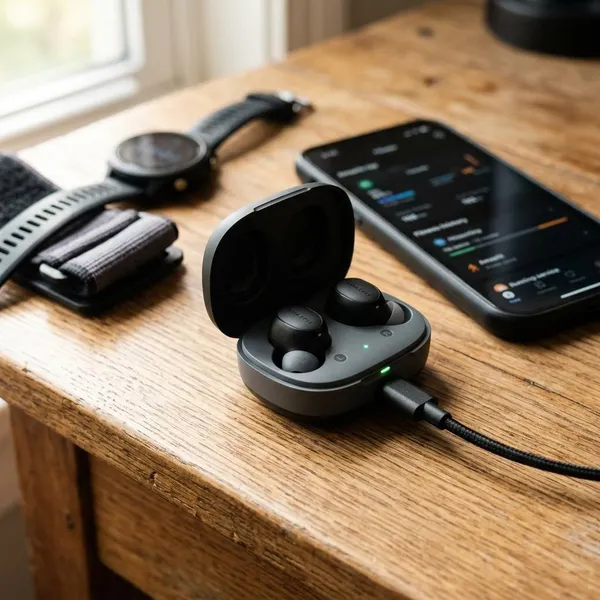
The battery setup is practical for normal daily use: up to 6 hours from the earbuds, plus extra charges from the case. It is enough for workouts, calls, errands, and desk listening, as long as you put them back in the case between sessions.
If you plan to wear earbuds continuously for a full workday without breaks, the single-charge limit matters more. If you use them in shorter blocks, the case makes the battery feel much easier to manage.
Up to 6 hours per charge
Amazfit rates the earbuds for up to 6 hours per charge. Real battery life can be lower if you listen loudly, take many calls, or use them outdoors where open-ear designs often need more volume.
For most routines, that still covers a long walk, a workout, a commute, or a block of meetings. The important habit is returning them to the case when you are not using them.
Charging case adds 18 hours
The case adds about 18 more hours, bringing total use to around 24 hours before the case itself needs charging. That is the number that matters if you carry earbuds through several days of casual use.
USB-C handles charging
USB-C keeps charging simple because it likely matches cables you already use for other devices. It is not a flashy feature, but it removes the annoyance of keeping a special earbud cable around.
Full charging takes about 2 hours
A full charge takes about 2 hours, so it is best treated as a desk or overnight charge rather than something you wait for right before leaving. If you often forget, keep the case in one regular spot such as your work desk, bedside table, or entry shelf.
Amazfit Up Bluetooth and Zepp App Features
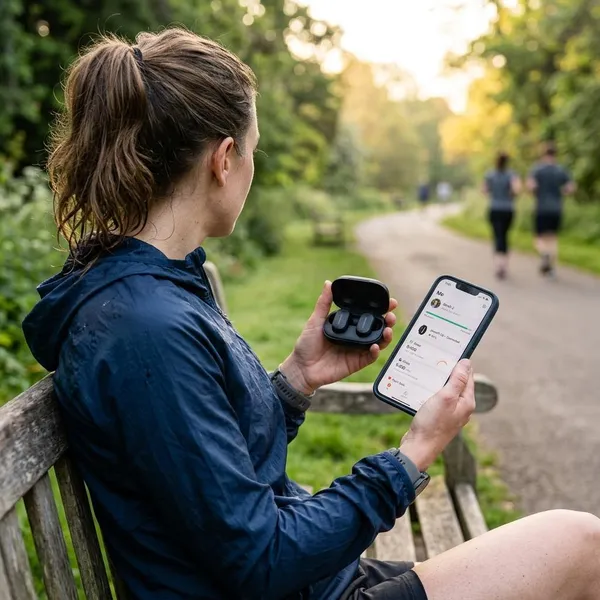
The Bluetooth and app features are more useful than they may seem at first. Bluetooth 5.3 handles the basic connection, while the Zepp app lets you adjust sound, change controls, update firmware, and manage multipoint.
If you only want quick audio from a phone, Bluetooth pairing may be enough. If you want the earbuds to feel finished and easier to personalize, set them up in the Zepp app as well.
Bluetooth 5.3 with AAC and SBC
Bluetooth 5.3 is a solid everyday standard for current phones, tablets, and laptops. AAC and SBC cover common listening needs, so casual users should not worry too much about missing advanced codecs.
Multipoint connects two devices
Multipoint is one of the most useful features if you switch between a phone and laptop. You can listen on one device and still be ready for a call from the other without manually pairing again.
Zepp App adds EQ controls
The Zepp app EQ can help you fine-tune the sound, especially if vocals feel too sharp or the default balance feels too light. It cannot turn open-ear earbuds into bass-heavy in-ear earbuds, but it can make the sound more comfortable for your taste.
Zepp App remaps button controls
Button remapping is worth setting up early. Some people want volume control on the earbuds; others care more about play/pause, calls, or voice assistant access.
A good control layout reduces the need to pull out your phone during runs, walks, or chores. That small convenience is exactly where daily earbuds either feel easy or irritating.
Voice assistants work from the earbuds
Voice assistant support is useful for quick tasks such as starting a call, setting a reminder, checking directions, or controlling playback. It is not essential, but it fits the hands-free style of open-ear earbuds.
How to Pair Amazfit Up
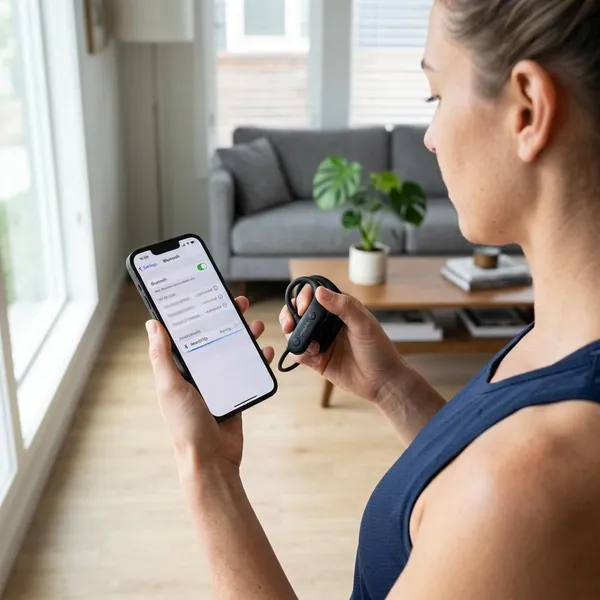
Pairing Amazfit Up is usually straightforward, but it is worth doing both parts: connect them in your device's Bluetooth menu, then add them in the Zepp app. Bluetooth gets audio working; the app gives you the settings that make the earbuds easier to use.
If pairing fails, check the simple causes first: low battery, earbuds still connected to an older device, or a saved Bluetooth record that needs to be removed.
Put the earbuds in pairing mode
Start with the earbuds charged and close to your phone. Put them into pairing mode using the method shown in the Amazfit instructions for your unit, then watch for the pairing indicator before opening your Bluetooth menu.
If they keep reconnecting to another device, temporarily turn Bluetooth off on that older phone, tablet, or laptop.
Select Amazfit UP in Bluetooth
Open Bluetooth settings and choose Amazfit UP from the available devices list. Keep the earbuds near the device until the connection is complete.
If the name does not appear, refresh the list, toggle Bluetooth off and on, or place the earbuds back in the case and try again. For a stubborn connection, forget the old pairing record and restart the process.
Add Amazfit Up in the Zepp App
After Bluetooth pairing, add Amazfit Up in the Zepp app. This step is easy to skip because audio may already work, but it is what unlocks EQ controls, button settings, firmware updates, and multipoint options.
Update firmware and enable multipoint
Once the earbuds appear in the app, check for firmware updates before judging connection stability. Updates can fix small bugs or improve behavior after launch.
- Charge the earbuds and case.
- Pair Amazfit UP in Bluetooth settings.
- Add the earbuds in the Zepp app.
- Install any available firmware update.
- Enable multipoint if you use two devices regularly.
Conclusion
Amazfit Up are worth considering if you want light, open-ear earbuds for running awareness, calls, walking, and daily listening, but they are not the pair to buy for deep bass or quiet-room isolation. The best fit is someone who values comfort and environmental awareness first, then uses the Zepp app to tune the controls and connection features around a normal day.