If you want the best portable metal box 3d arcade game console, the WYGAMING Portable 20000 in 1 makes the most sense when you want a movable home arcade rather than a pocket-sized travel device. Its biggest appeal is the mix of a 22-inch screen, built-in two-player controls, and a folding metal case, but you should check the game list, software version, and real performance before treating the advertised game count as the whole story.
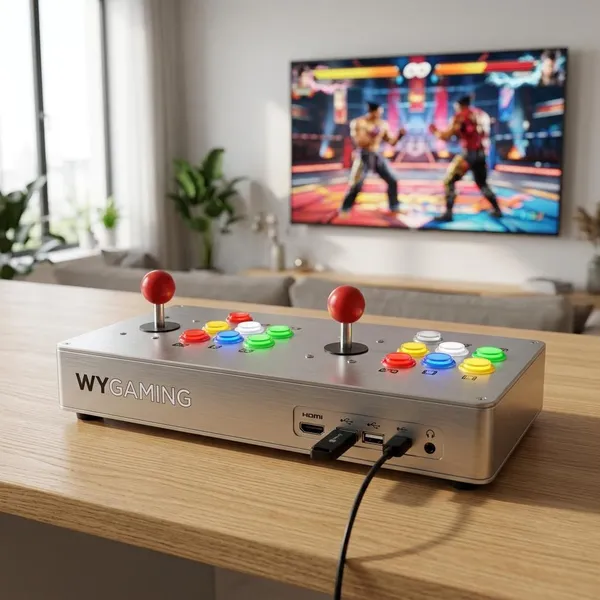
WYGAMING Portable Arcade Console Overview
The WYGAMING Portable Arcade Console is built for people who want a ready-to-play retro setup without connecting a separate monitor, buying arcade sticks, or building an emulator system from parts. The main things to judge first are simple: screen comfort, control feel, game organization, and whether its size fits the way you actually plan to use it.
22-inch built-in display
The 22-inch display is the feature that makes this console feel more like a small arcade station than a regular emulator box. It is large enough for two people to watch comfortably from a table or couch, and it avoids the usual problem of crowding around a handheld screen.
This matters most in shared spaces. If you want something for a game room, garage, family room, or weekend gathering, the built-in screen is a real advantage. If you mostly play alone in bed, on a commute, or while traveling, the screen size becomes less important than the extra bulk it creates.
Folding metal case
The folding case is useful because it protects the screen and control panel when the system is not being used. It also makes the unit easier to store than an open tabletop arcade setup with loose cables and separate controllers.
Metal gives the machine a sturdier feel, but it also adds weight. That trade-off is worth it if you plan to move the console between rooms or take it to a friend's house occasionally; it is less ideal if you expect lightweight travel gear.
Built-in arcade controls
Arcade-style joysticks and buttons are one of the main reasons to choose this type of console. Fighting games, beat 'em ups, shooters, puzzle games, and other quick-action titles usually feel better on this layout than on a tiny handheld control pad.
Large preloaded game library
The console is commonly sold as a "20000 in 1" system, so the variety is part of the attraction. A large preloaded library is convenient for casual buyers because there is plenty to try without downloading or configuring games first.
Do not judge it only by the number. Big retro libraries often include duplicates, regional versions, unfamiliar titles, and games that may not run equally well. A smaller number of well-organized favorites would often be more useful than thousands of messy entries, so menu quality matters.
Search, save, load, and pause functions
Search, save, load, and pause functions are not flashy, but they decide how usable the console feels after the first few days. Search keeps a huge library from becoming annoying, while save and load functions make older games easier to play in short sessions.
What Games Can It Play?
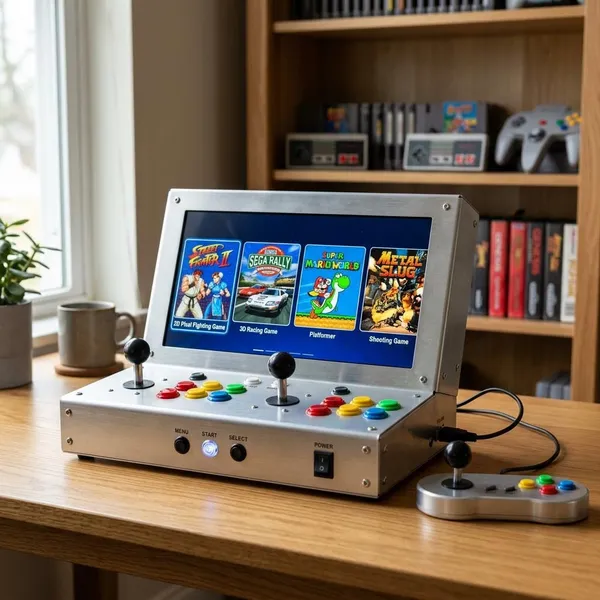
The WYGAMING console is aimed at broad retro coverage, from arcade games to older home console titles and some early 3D systems. The safer way to read that is "wide support with possible variation," because performance and included titles can depend on the exact version, storage setup, and seller configuration.
Classic arcade games
Classic arcade games are where this machine should feel most natural. The joystick-and-button layout suits fighters, scrolling shooters, beat 'em ups, puzzle games, and quick coin-op style titles.
Retro home console games
Older home console games give the machine more staying power than an arcade-only device. Platformers, sports games, RPGs, racers, and puzzle titles add slower and more varied play options when you are not in the mood for short arcade rounds.
Pay attention to control comfort here. Many older console games work fine on arcade controls, but some titles were designed around gamepads. If home console nostalgia is your main reason for buying, look for videos or reviews showing the specific systems and games you care about.
PlayStation-era titles
PlayStation-era games are appealing because they bring early 3D racers, fighters, sports titles, and action games onto a larger built-in screen. They also ask more from the hardware and software than older 2D games.
- Check performance: look for smooth gameplay in the titles you actually want, not just a platform logo.
- Check controls: some 3D games depend on shoulder buttons or analog-style movement.
- Check display scaling: early 3D graphics can look rough on a larger screen if the setup is not handled well.
Dreamcast and PSP games
Dreamcast and PSP support sounds impressive, but this is where you should be most cautious. Some games may run well, while others can show slowdowns, audio issues, or awkward controls depending on the emulator build and settings.
Dreamcast can suit the arcade feel because many of its best-known games are fighters, racers, and action titles. PSP games are more mixed: the 22-inch screen can make them easier to see than the original handheld, but not every PSP control scheme is a natural fit for an arcade panel.
Additional games through supported software
Some versions may allow extra games through supported storage or software methods, but you should confirm that before buying. "Supports adding games" is only useful if the process matches your skill level.
- Ask what file types are supported. Do not rely on a vague expansion claim.
- Check how added games appear in the menu. A messy folder system can ruin the benefit.
- Look for storage limits. Larger 3D games may need more space and longer loading times.
- Confirm whether setup is simple. Casual buyers should avoid systems that require too much manual configuration.
How Portable Is the Metal Box Design?
This console is portable in the "move it around the house or bring it to a gathering" sense, not in the handheld gaming sense. Think of it as transportable arcade equipment: easier than a cabinet, much bulkier than a handheld emulator.
Folding case makes storage easier
The folding case helps if you do not want a permanent arcade setup sitting out all week. You can open it for a weekend session, close it afterward, and store it more neatly than a screen-plus-controller setup.
Metal construction adds protection
Metal construction gives the console better protection during normal handling and storage. It can help guard the screen and controls from light bumps when the unit is closed, though it should still be treated as electronics rather than luggage.
The same build that adds confidence also adds weight. If the console will stay mostly on one table, that is not a problem. If you expect to carry it up and down stairs often, the weight matters more than the rugged look.
Carrying handle helps with transport
The carrying handle is useful because a wide metal box with a screen is awkward to grip from the sides. A proper handle makes short moves safer, especially when taking it from a shelf to a table or loading it into a car.
Large size makes it less portable than a handheld
The large size is the main reason this is not a true travel console. A handheld is better for flights, commuting, hotel rooms, and solo gaming in small spaces. The WYGAMING design is better when two people want a bigger screen and real arcade controls.
| Use case | Better choice | Why it matters |
|---|---|---|
| Family game night or friends visiting | WYGAMING metal box console | Shared screen and two-player controls are more comfortable. |
| Daily travel or commuting | Handheld emulator | Smaller, lighter, and easier to pack. |
| Occasional room-to-room use | WYGAMING metal box console | The folding case and handle make movement manageable. |
| Solo retro gaming in tight spaces | Handheld or mini console | The WYGAMING unit may feel larger than necessary. |
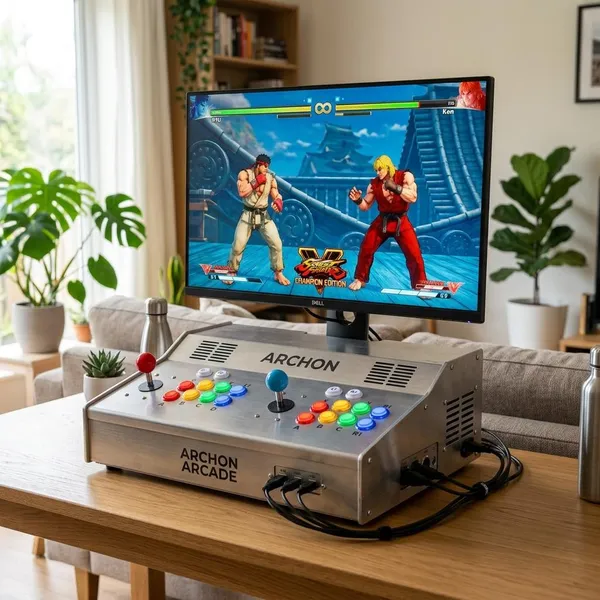
What the WYGAMING Console Does Well
The WYGAMING console is strongest when judged as a convenient home arcade setup. It is not trying to beat a handheld on portability or a custom PC build on flexibility; its appeal is that most of the experience is already put together.
All-in-one arcade setup
The all-in-one format removes the usual setup friction. You do not need to find a spare TV, connect controllers, route cables, or explain a complicated system to guests before anyone can play.
Large screen for shared play
The large screen is especially useful when two players are sitting side by side. It makes menus easier to read and keeps fast action visible without everyone leaning over a small display.
For solo use, the screen is still helpful for longer sessions or games with small text. The benefit is less about sharp technical specs and more about comfort.
Two-player arcade controls
Two-player controls are one of the clearest reasons to buy this instead of a handheld. Friends, siblings, parents, or kids can start a match without pairing controllers or passing around a small device.
Broad retro game support
Broad retro support gives different people in the same home a better chance of finding something they like. One person may want arcade fighters, another may want 16-bit platformers, and someone else may look for early 3D racing or sports games.
No separate TV required
Not needing a separate TV is a bigger advantage than it may sound. It means the console can be used in a bedroom, spare room, office, garage, or on a dining table without taking over the main living room screen.
Conclusion
The WYGAMING Portable Arcade Console is worth considering if you want a self-contained retro machine for shared play, quick setup, and a more arcade-like feel at home. Choose it for the screen, controls, folding case, and convenience; choose something smaller if your main priority is travel, solo handheld play, or maximum customization with less bulk.