An 8k smartphone camera is worth considering if you edit your footage, crop into wide shots, or want sharper stills from video, but it is not automatically better than a strong 4K mode. The first thing to check is not the resolution label; it is whether the phone can keep focus, control heat, stabilize footage, and produce clean detail for more than a short demo clip.
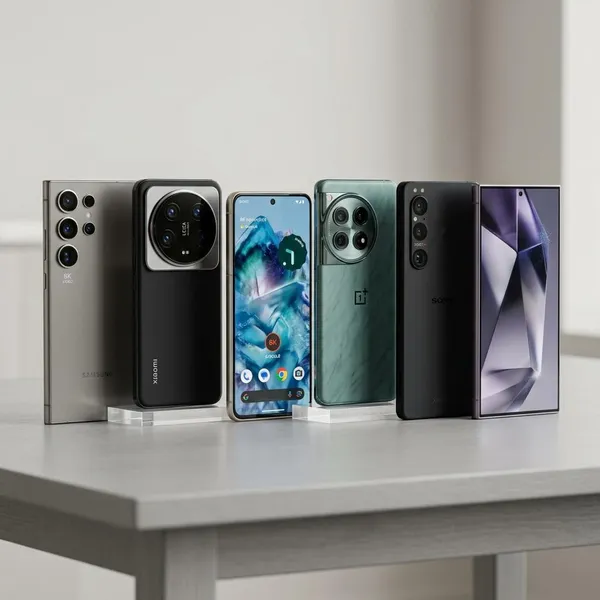
Best Phones That Record 8K Video
The best 8K camera phones are usually flagship models with strong main sensors and enough processing power to handle large video files. Still, the right choice depends on how you shoot: a travel clip in daylight, a long tripod recording, and a quick video of kids indoors all stress the camera in different ways.
Samsung Galaxy S26 Ultra at 8K30
The Samsung Galaxy S26 Ultra is the safer premium pick if you want 8K30 without constantly second-guessing focus, exposure, and camera app behavior. Samsung's Ultra phones are usually strongest when you need reliable autofocus, polished HDR, and a main camera that handles mixed scenes well.
Xiaomi 17 Ultra at 8K30
The Xiaomi 17 Ultra is the more detail-focused option. If its 8K30 mode follows Xiaomi's usual flagship approach, it should appeal to people who shoot bright city scenes, landscapes, architecture, or travel footage where fine texture matters.
OnePlus 15 at 8K30
The OnePlus 15 is likely to be the practical middle ground: strong enough for occasional 8K use, usually easier on price than the most expensive Ultra phones, and better suited to buyers who care about everyday video as much as headline specs.
- Best fit: short travel clips, casual creator footage, and edited 4K exports from 8K source files.
- Watch closely: low-light video, stabilization limits, and how quickly the phone warms up during repeated takes.
Samsung Galaxy S25 Ultra at 8K30
The Samsung Galaxy S25 Ultra remains a strong choice if it costs noticeably less than newer models. It is especially appealing when you want mature video processing, dependable autofocus, and a phone that is already widely tested by reviewers and users.
For many buyers, that matters more than owning the newest model. If your normal use is holidays, family video, pets, and occasional tripod clips, a discounted S25 Ultra may be the smarter buy than paying more for a small 8K upgrade you may rarely notice.
ASUS ROG Phone 9 Pro at 8K30
The ASUS ROG Phone 9 Pro is not the obvious camera-first choice, but its performance-focused design can matter for 8K. Longer recordings, repeated takes, and warm rooms can expose weak thermal control quickly, and a gaming phone may hold up better than expected in that specific situation.
Do not choose it only for image quality. Choose it if you also want a gaming-heavy phone and 8K is a useful extra. If you want the most natural color, the best HDR, and the least editing work, Samsung or Xiaomi may be easier choices.
What Are the Real Benefits of 8K Phone Video?
The real value of 8K phone video is editing flexibility, not watching everything on an 8K screen. Most people will export, share, or view the final result in 4K or lower, so 8K helps most when it gives you more room to crop, reframe, stabilize, or pull still images.
More room for cropping
8K gives you extra room to crop into a shot while keeping a cleaner final image. That is useful when you cannot move closer, such as filming a school performance from your seat, recording a speaker on stage, or capturing wildlife from a distance.
Cleaner 4K reframing
One of the best uses of 8K is shooting wide and exporting in 4K after reframing. A locked-off tripod shot can become a wide shot, a tighter crop, and a slow digital push-in from the same recording.
Sharper frame grabs
8K video can give you sharper frame grabs than 4K, as long as the original clip is well focused and not blurred by motion. It will not always beat a dedicated photo mode, but it can save a moment that happens too fast to photograph separately.
More flexible post-production
Extra resolution gives editors more room to correct small mistakes. You can level a horizon, crop out a distraction at the edge of the frame, adapt a horizontal shot for a vertical post, or add gentle digital movement without the final 4K export looking as soft.
The limit is compression. If the phone records 8K at a weak bitrate, textures such as leaves, hair, grass, and brick can still look smeared. More pixels only help when the phone preserves enough real detail.
Better detail in well-lit scenes
8K looks most convincing in good light. Daytime streets, landscapes, buildings, and bright indoor scenes give the sensor enough light to capture fine detail cleanly.
In dim rooms, restaurants, concerts, or night scenes, the advantage often shrinks. Noise reduction can wipe away the detail that 8K was supposed to preserve, so a cleaner 4K mode may be the better choice.
What Matters More Than 8K Resolution?
If two phones both record 8K30, the better video phone is usually the one with stronger fundamentals. Prioritize the main sensor, dynamic range, autofocus, stabilization, codec quality, low-light performance, and heat control before treating 8K as the deciding feature.
Sensor quality
Sensor quality decides how much clean information the phone captures before software processing starts. A weak sensor can record an 8K file that is technically large but still noisy, soft, or overprocessed.
Dynamic range
Dynamic range matters whenever bright and dark areas appear in the same shot. Think of a person standing near a window, a street scene with bright sky, or a sunset where the foreground still needs detail.
For everyday viewers, good dynamic range often looks more impressive than extra resolution because faces, skies, and shadows appear more natural.
Optical stabilization
Optical stabilization helps keep high-resolution footage from looking nervous or shaky. This matters most for handheld travel clips, family events, walking shots, and quick videos where you are not using a tripod.
Some phones reduce stabilization options in 8K mode. If handheld video is your normal use, compare 8K samples while the reviewer is moving, not just still shots on a sunny day.
Autofocus reliability
Autofocus reliability can make or break 8K footage. A sharp 8K file is useless if the phone pulses between the subject and background during a child's birthday, a pet video, or a one-time event.
Bitrate and codec
Bitrate and codec decide how well the file holds detail after compression. A better codec can keep textures cleaner, but it may also create files that are harder for older laptops or editing apps to handle.
- If you edit on a powerful computer: a more demanding codec may be acceptable.
- If you edit on a phone or older laptop: smooth playback and easy export may matter more than the largest possible file.
Low-light performance
Low-light performance is where many 8K modes become less useful. Small sensors need more processing in dim scenes, and that processing can remove the fine detail you wanted from 8K in the first place.
Thermal control
Thermal control matters because 8K recording is demanding. A phone may look excellent for a one-minute sample but dim the screen, reduce performance, or stop recording during longer takes.
How to Choose an 8K Camera Phone
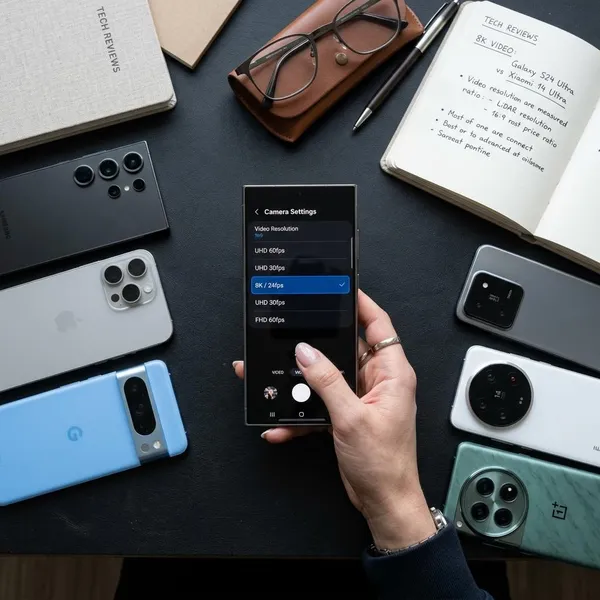
Start with your real shooting habits, then compare specs. A phone for short daylight travel clips does not need the same strengths as a phone for long indoor interviews or repeated creator shoots.
Compare 8K frame rates
Most 8K phones record at 8K30, which is fine for landscapes, talking-head clips, product shots, and general use. If you want smoother motion, sports footage, or slow-motion flexibility, 4K modes may still be more useful.
Check which lenses support 8K
Do not assume every rear camera records 8K. Many phones limit 8K to the main lens, while ultrawide, telephoto, or front cameras may use lower resolutions.
This matters if you film travel, architecture, events, or sports. A strong main-camera 8K mode is useful, but it will not replace having flexible lenses if you constantly switch between wide and zoomed views.
Review stabilization limits
Look for 8K sample footage with real movement. A smooth static clip does not tell you how the phone handles walking, panning, or filming with one hand.
- Mostly tripod use: weaker 8K stabilization may be acceptable.
- Mostly handheld use: stable 4K may look better than shaky 8K.
Choose enough storage
Choose more storage if 8K is more than a novelty for you. Large video files can become annoying quickly when the same phone also holds apps, photos, offline music, games, and backups.
Check sustained recording time
Sustained recording time tells you whether the phone can handle real use. Search for tests that record 8K continuously or repeat several clips in a row, because heat problems often appear after the first impressive sample.
Compare 4K video quality
Compare 4K before making the final decision. On many phones, 4K has better stabilization, fewer heat issues, stronger HDR, and easier editing than 8K.
Match the phone to your workflow
The right phone should fit the whole process: recording, storing, transferring, editing, exporting, and sharing. If your laptop struggles with 8K files or you rarely crop footage, paying extra for the strongest 8K mode may not change much in daily use.
- Check the main camera first. It is usually the lens that matters most for 8K.
- Watch real 8K and 4K samples. Look at focus, highlights, motion, and texture.
- Think about heat and storage. These limits show up quickly in longer sessions.
- Choose for your habits. Casual users need reliability; editors need flexible files.
Conclusion
The best choice is not the phone with the loudest 8K claim; it is the one that records clean, stable, focused video in the situations you actually face. If you crop and edit, 8K can be genuinely useful, but if you mostly shoot handheld clips indoors or post quickly to social media, a stronger 4K mode may serve you better. Buy for the full camera workflow, not just the biggest resolution number.