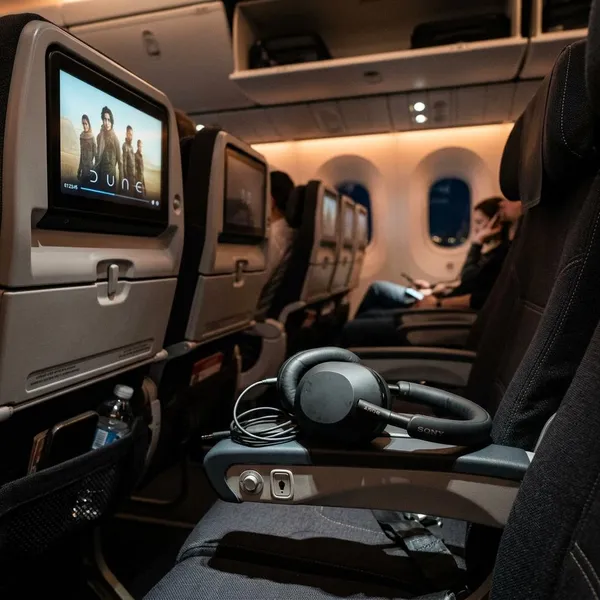
If you want to use your own headphones with a seatback screen, the adapter you need depends on two things: the airplane audio jack and the headphones you are carrying. Wired 3.5mm headphones may plug in directly, older two-prong seats need a small converter, and Bluetooth headphones usually need a powered transmitter.
Do You Need an Airplane Headphone Adapter?
Start with the connection at both ends. If your headphones and the seat both use a standard 3.5mm jack, you probably need nothing. If either side is different, you need an adapter, a transmitter, or a more awkward chain of dongles.
A quick way to decide:
- 3.5mm wired headphones + single seat jack: plug in directly.
- 3.5mm wired headphones + two-prong seat jack: use a dual-prong adapter.
- Bluetooth headphones + seatback screen: use a Bluetooth transmitter.
- USB-C or Lightning headphones: plan carefully, because direct use often does not work.
No adapter for a single 3.5mm jack
When the seat has a single round 3.5mm audio jack and your headphones have the same plug, you can connect them directly. This is the cleanest setup for a short flight or a traveler who does not want to charge extra devices.
If the sound only comes through one ear, do not assume your headphones are broken. Pull the plug out, insert it again firmly, and check the seatback volume; older jacks can be a little worn.
Dual-prong adapter for two 3.5mm jacks
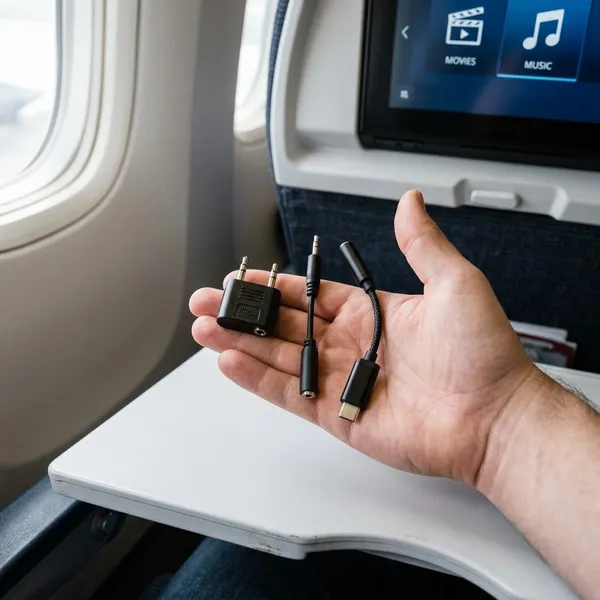
A two-hole airline socket needs a dual-prong adapter if you want to use regular wired headphones. The adapter turns the older airplane connection into one standard 3.5mm socket.
This is the small accessory worth keeping in a travel pouch if you fly a few times a year, especially on long-haul routes where older entertainment systems still appear. It costs little, takes almost no space, and avoids the annoying choice between using poor airline earbuds or watching without sound.
Bluetooth transmitter for wireless headphones
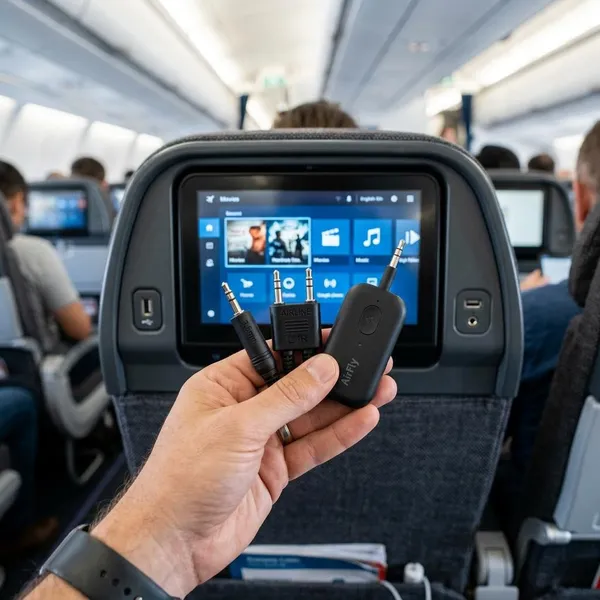
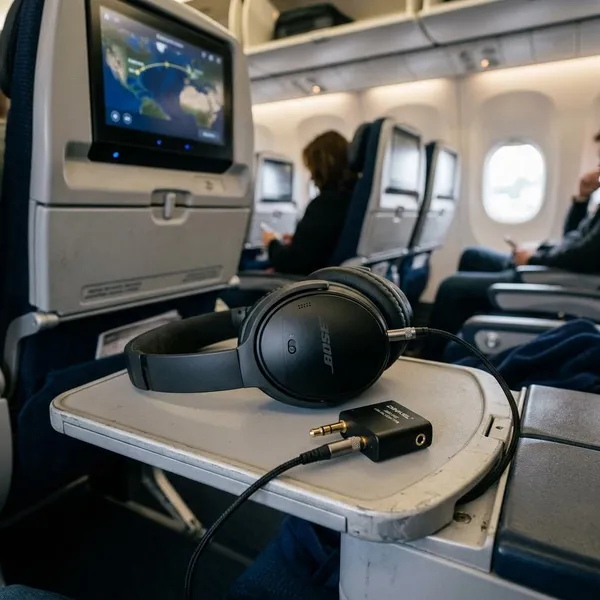
Bluetooth headphones do not usually pair directly with airplane screens, so a plug-shaped adapter is not enough. You need a Bluetooth transmitter that plugs into the seat audio port and sends the sound wirelessly to your headphones.
For a long overnight flight, battery life matters more than fancy features. For movies, low-latency support is useful because it helps keep voices closer to the actors' lip movement, although exact performance depends on both the transmitter and headphones.
Extra conversion for USB-C or Lightning headphones
USB-C and Lightning headphones are the least convenient choice for airplane screens. Many of them expect digital audio, while seatback systems usually provide analog audio through a headphone jack.
If you rely on USB-C or Lightning earbuds for daily use, test the full chain at home before packing it: headphone adapter, airline adapter if needed, and the headphones themselves. For most travelers, a cheap pair of 3.5mm wired earbuds or a Bluetooth transmitter setup is simpler in a cramped seat.
What Types of Airplane Headphone Adapters Are There?
The main types are not interchangeable. A dual-prong adapter solves an old airplane socket problem, while a Bluetooth transmitter solves a wireless headphone problem. Some travelers need both.
Dual-prong to 3.5mm adapters
This is the classic airplane adapter: two small plugs on one side and a normal 3.5mm headphone socket on the other. It has no battery, no pairing mode, and almost nothing to learn.
Bluetooth audio transmitters
A Bluetooth audio transmitter is best for AirPods, wireless earbuds, or over-ear Bluetooth headphones. It plugs into the seat and creates the wireless link the airplane screen usually cannot provide on its own.
- For solo travel: prioritize easy pairing and enough battery for the flight.
- For two people watching together: check whether it supports two headphones at once.
- For movie watching: look for low-latency support rather than only the smallest size.
Dual-prong Bluetooth adapter setups
This setup is for the awkward but common case: an older two-prong airplane socket and modern wireless headphones. Some transmitters include airline prongs; others need a separate dual-prong adapter plugged into the transmitter.
How to Choose an Airplane Headphone Adapter
Choose based on your real travel habit, not just the product name. A frequent flyer with wireless noise-canceling headphones has different needs from someone taking one holiday flight with wired earbuds.
Match it to your headphones
Your headphones decide the category first. Wired 3.5mm headphones need either no adapter or a dual-prong converter. Bluetooth headphones need a transmitter. USB-C or Lightning headphones need extra caution because they may not accept the airplane's analog audio signal through a simple dongle.
For occasional travel, the simplest dependable setup is usually wired 3.5mm headphones plus a dual-prong adapter. For long flights where comfort matters, Bluetooth headphones plus a good transmitter can be worth the extra charging step.
Check the seatback audio jack
If you can find cabin photos, aircraft reviews, or airline seat details before the trip, check whether the screen has a single jack or a two-prong socket. This is not always listed clearly, and aircraft swaps happen, so avoid planning around one exact seat photo.
Confirm Bluetooth support if needed
For wireless use, confirm that the transmitter pairs with your headphones before the flight. Pairing in a boarding cabin is possible, but it is not the best moment to discover that your headphones keep reconnecting to your phone instead.
- Before boarding: charge the transmitter.
- Before pairing: disconnect the headphones from nearby devices.
- Before the movie: test for sound delay and dropouts.
Choose a compact travel design
A good airplane adapter should be easy to find, hard to break, and small enough to live in your carry-on. Foldable prongs, a short flexible cable, or a small case can matter more than a long feature list.
How to Connect Headphones to an Airplane
Once you know the port and headphone type, connect everything before you settle into a movie. Testing early is the difference between fixing a loose plug in ten seconds and missing the opening scene while troubleshooting.
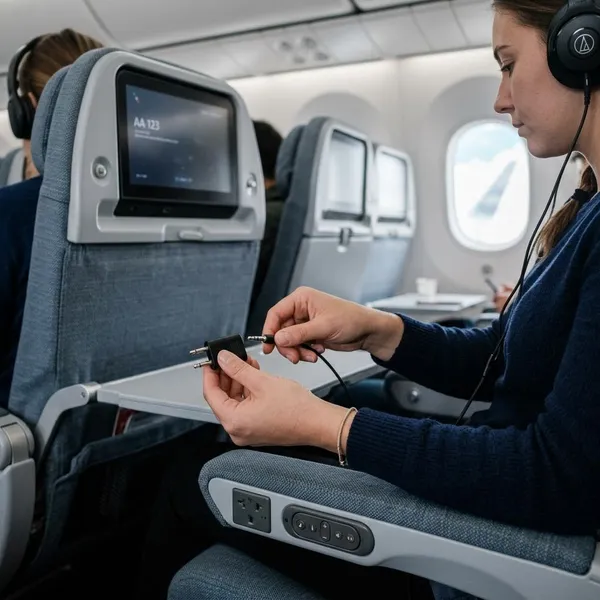
Plug wired headphones into the seat
For a single 3.5mm seat jack, plug your wired headphones in directly and play a short clip. If the volume is low, check both the seatback volume and any inline headphone control.
Add a dual-prong adapter when needed
For a two-prong socket, insert the adapter fully, then plug your headphones into the adapter's 3.5mm port. If you hear sound in only one ear, reseat the adapter and make sure both prongs are aligned with the socket.
This problem is common on older aircraft and does not always mean the adapter is faulty. A slightly loose fit can be enough to drop one channel.
Pair wireless headphones with a transmitter
Turn on the transmitter, put it in pairing mode, and pair your headphones before plugging it into the seat if that is easier. After pairing, connect the transmitter to the seat jack or to the dual-prong adapter if the aircraft uses the older socket.
If your headphones keep jumping back to your phone, temporarily turn off Bluetooth on the phone or forget the connection until the transmitter is paired.
Test both audio channels before watching
Play a trailer, menu sound, or the first few seconds of a show before committing to a film. Listen for left and right audio, crackling, dropouts, and obvious lip-sync delay.
- Identify the port: single 3.5mm or dual-prong.
- Connect the right accessory: direct plug, dual-prong adapter, or transmitter.
- Check both ears: reseat the plug if one side is missing.
- Adjust volume early: use both the screen controls and headphone controls if available.
Conclusion
The safest packing choice is the one that matches how you actually listen: a tiny dual-prong adapter for wired headphones, a charged Bluetooth transmitter for wireless headphones, or a simpler backup pair if your USB-C or Lightning setup feels uncertain. Check the seat port if you can, but pack for the common surprises rather than the perfect scenario.