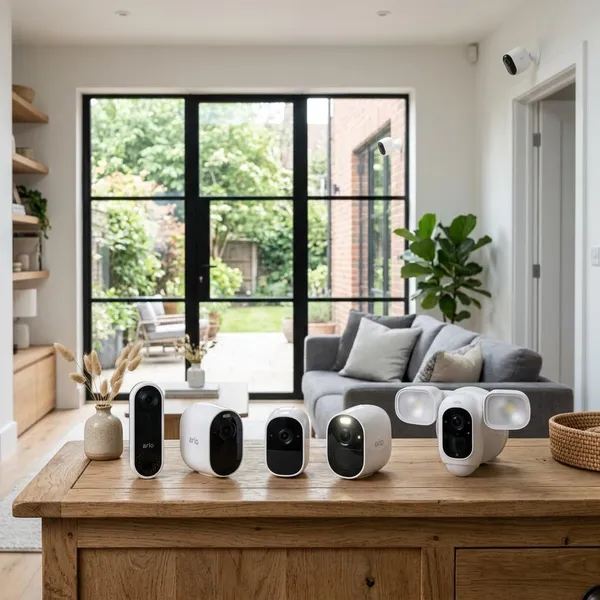
If you are comparing Arlo smart security cameras, start with the place you need to watch rather than the most expensive model. Essential is usually enough for simple rooms, porches, and small outdoor areas; Pro is the safer everyday outdoor pick; Ultra is for larger spaces where 4K detail matters; and Go 2 only makes sense when Wi-Fi is the weak point.
Which Arlo Camera Should You Buy?
The easiest way to choose is to match the camera to one job. A front porch camera, a nursery camera, and a remote shed camera do not need the same features, even if they all sit in the same Arlo app.
| Best fit | Arlo line to consider | Why it makes sense |
|---|---|---|
| Apartment, nursery, pet room, hallway | Arlo Essential Indoor | Plug-in power and privacy-focused indoor use |
| Small porch, patio, side gate | Arlo Essential | Lower-cost outdoor coverage without premium specs |
| Driveway, garage, main entry | Arlo Pro 5S 2K | Sharper everyday outdoor footage and better balance |
| Large yard or wide driveway | Arlo Ultra 2 | Premium 4K detail for bigger viewing areas |
| Cabin, barn, job site, remote property | Arlo Go 2 | Cellular support when normal Wi-Fi is unreliable |
Arlo Essential Indoor for rooms and apartments
Choose Arlo Essential Indoor when the camera will stay inside and near an outlet. It is a practical pick for checking pets, watching an apartment entry, keeping an eye on a nursery, or monitoring a room while you are away.
Arlo Essential for budget outdoor coverage
Arlo Essential is the sensible starting point for basic outdoor coverage. It fits porches, patios, small driveways, and rental homes where you want motion alerts and recorded activity without paying for Ultra-level detail.
- Good use: seeing deliveries, visitors, and routine movement near the house.
- Less ideal: trying to capture fine detail across a long driveway.
- Main trade-off: battery models are easy to place but need recharging.
Arlo Pro 5S 2K for everyday outdoor security
Arlo Pro 5S 2K is the best middle choice for many homes. It gives you more detail than a basic model without jumping to the highest price tier, which is useful for a garage, walkway, front door, or driveway that you check regularly.
If your camera is part of your main home security setup rather than a casual convenience camera, Pro is usually where the lineup starts to feel more serious.
Arlo Ultra 2 for premium 4K detail
Pick Arlo Ultra 2 when distance and detail matter more than saving money. A larger front yard, a wide driveway, or a detached garage benefits more from 4K than a small hallway ever will.
Arlo Go 2 for places without reliable Wi-Fi
Arlo Go 2 solves a different problem: connection. It is the model to consider for a cabin, barn, construction site, dock, or seasonal property where normal Wi-Fi is weak, unstable, or not available.
Before buying it, check mobile signal at the exact mounting spot. Cellular support helps only if the camera can actually get a usable signal there, and the data plan may add ongoing cost.
How the Arlo Camera Lines Differ
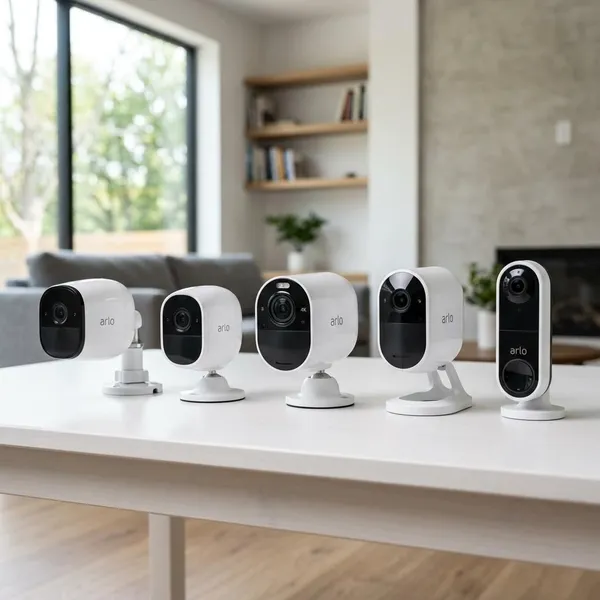
Arlo's camera lines are easier to understand by role than by price. Essential covers simple monitoring, Pro improves outdoor clarity, Ultra focuses on maximum detail, Go handles remote connectivity, and Indoor models are built for privacy and constant power.
Essential covers basic home monitoring
Essential is for normal household monitoring where you mainly need to know what happened, not zoom deeply into a distant scene. For a small porch, side path, hallway, or apartment entry, it often gives enough coverage at a lower hardware cost.
Some Essential models offer different resolutions, so do not assume every version is identical. Compare the exact model if you care about 1080p versus 2K, battery type, spotlight features, or indoor versus outdoor placement.
Pro adds stronger 2K outdoor coverage
Pro is the better everyday outdoor tier when you want footage that is easier to review after a real event. The jump to 2K can help with clothing detail, movement direction, and a clearer view of people or vehicles in typical home distances.
Ultra delivers premium 4K video
Ultra is about review quality. The extra resolution is most useful when the subject may be farther away or when you expect to zoom into recordings later.
- Worth considering: wide driveways, large yards, detached garages, open approaches.
- Probably excessive: small rooms, short entryways, close-range package checks.
- Budget note: the camera may cost more, and higher-quality recording can also affect storage needs.
Go supports remote locations
Go cameras stand apart because their main feature is not resolution but connectivity. If a standard Wi-Fi camera would constantly drop offline at a gate, shed, farm entrance, or job site, Go is the Arlo line that belongs on your shortlist.
Indoor models focus on privacy and plug-in use
Indoor models are designed for spaces where weather resistance is unnecessary and comfort matters. Plug-in power is helpful in busy rooms because frequent motion would make battery charging annoying.
The privacy feature is not just a small extra. For shared apartments, home offices, nurseries, or living areas, a visible privacy shield can make the camera feel less intrusive in daily life.
How to Choose an Arlo Security Camera
Use a simple order: location first, then power, then connection, then video detail, then alerts and subscription cost. That order prevents the common mistake of buying a high-spec camera that still performs badly because it is mounted in the wrong place or has weak Wi-Fi.
Choose the installation area
Start by deciding whether the camera will be indoors, outdoors, or away from your home network. Indoor spaces usually favor plug-in models and privacy controls. Outdoor areas need weather-ready hardware and a clear view of the approach you care about. Remote places may need cellular support before any other feature matters.
Pick battery or plug-in power
Battery power gives you flexible placement on exterior walls, fences, garages, and spots without nearby outlets. It is useful for a clean installation, but it adds upkeep.
- Choose battery when placement matters more than maintenance.
- Choose plug-in for busy indoor areas or places you do not want to recharge.
- Be cautious with high-traffic outdoor zones, because constant motion can drain batteries faster.
Match resolution to the viewing distance
Do not buy resolution in isolation. For a small room or close front door view, 1080p or 2K may be enough. For a driveway, yard entrance, or wider outdoor area, 2K is usually a better baseline. Choose 4K when the camera needs to cover more distance or you expect to zoom into clips after an incident.
Check Wi-Fi coverage
Test the signal where the camera will actually be mounted, not beside your router. Exterior walls, brick, metal doors, garages, and long distances can weaken the connection enough to cause delayed alerts or unreliable live view.
Decide which alerts you need
Basic motion alerts are fine for a quiet backyard or low-traffic side gate. They become frustrating near sidewalks, streets, trees, or shared driveways because too many minor events can make you ignore the camera.
If the camera will watch a busy area, smarter alerts and activity zones may matter more than another small hardware upgrade. Fewer, better notifications are usually more useful than constant pings.
Include subscription costs in your budget
The camera price is not always the full ownership cost. Depending on the model and plan, Arlo Secure may add features such as cloud recording, richer object alerts, activity zones, or easier clip review.
Decide before buying whether you are comfortable paying monthly. If you only want live view and simple alerts, a lower ongoing cost may matter more. If you want stored clips after a package theft or driveway incident, budget for the plan you are likely to keep.
Conclusion
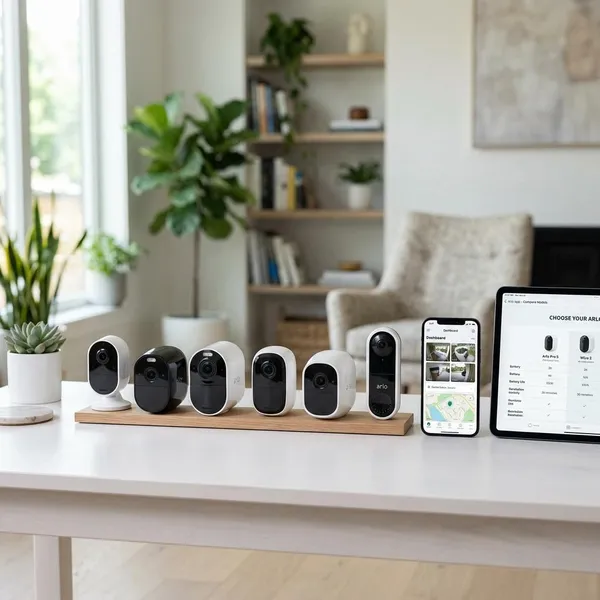
The best Arlo choice is usually the one that fits the location with the least compromise: Essential for simple coverage, Pro 5S 2K for the main outdoor zones most homes care about, Ultra 2 for large areas where detail matters, Indoor for private plug-in monitoring, and Go 2 when Wi-Fi cannot be trusted. Check the mounting spot, power plan, and ongoing subscription cost before chasing the highest resolution, because those details decide whether the camera will be useful every day.