If you mainly want to check your home from your phone, choose outdoor smartphone compatible security cameras by app reliability first, not by resolution alone. A good camera should open live view quickly, send alerts you actually trust, and make old clips easy to find when something has happened. After that, compare power, storage, and whether the best features sit behind a subscription.
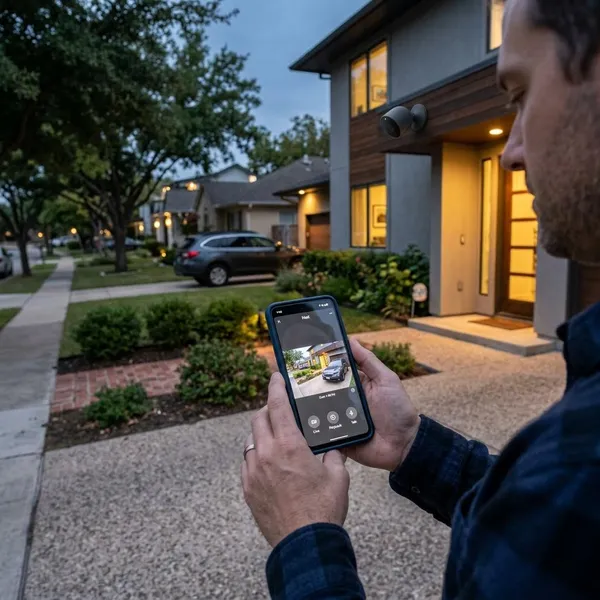
Best outdoor security cameras for smartphone control
The strongest phone-controlled cameras are not all good for the same type of home. One may be better for a busy driveway, another for a renter who wants quick installation, and another for someone who hates monthly fees.
Start with the kind of monitoring you need most often: quick front-door checks, wide yard coverage, low-maintenance solar charging, or local recording. That makes the choice clearer than comparing every specification side by side.
Arlo Pro 6 for all around outdoor security
Arlo Pro 6 is the safer pick if you want a polished phone experience and do not mind paying for some of the smarter features. The app is usually the main attraction: live view, two-way talk, spotlight controls, siren settings, and activity zones are easy to reach without digging through menus.
It suits a front entrance, porch, or driveway where alerts need to be useful rather than constant. The main caution is ongoing cost. If person, vehicle, or package alerts are important to you, check which features require an Arlo plan before buying.
TP-Link Tapo Wire-Free MagCam for value
The TP-Link Tapo Wire-Free MagCam makes sense for a first camera, a rental home, or a side entrance where you want simple phone access without spending premium-brand money. The magnetic mounting style also makes small angle changes easier after installation, which matters more than people expect.
eufy SoloCam S340 for solar powered coverage
eufy SoloCam S340 is strongest for people who want less charging and fewer subscription worries. Its solar support is useful for a backyard, detached garage, or high mounting spot where taking the camera down every few weeks would quickly become annoying.
The local-first approach is another reason to consider it. You still need to confirm which features work without extra services, but eufy is often a better fit for buyers who want phone alerts and playback without feeling locked into a monthly plan.
Reolink Argus 4 Pro for wide angle monitoring
Reolink Argus 4 Pro is worth shortlisting when one normal camera angle would leave too many blind spots. A wide driveway, open yard, or garage area with movement from several directions is exactly where wider coverage can be more useful than chasing the sharpest close-up image.
Its app experience is practical rather than luxurious, but that may be enough if your priority is broad coverage, local control, and lower long-term cost. Before using it in a busy area, check how often it records and whether battery or solar support will keep up with that traffic.
What smartphone features matter most
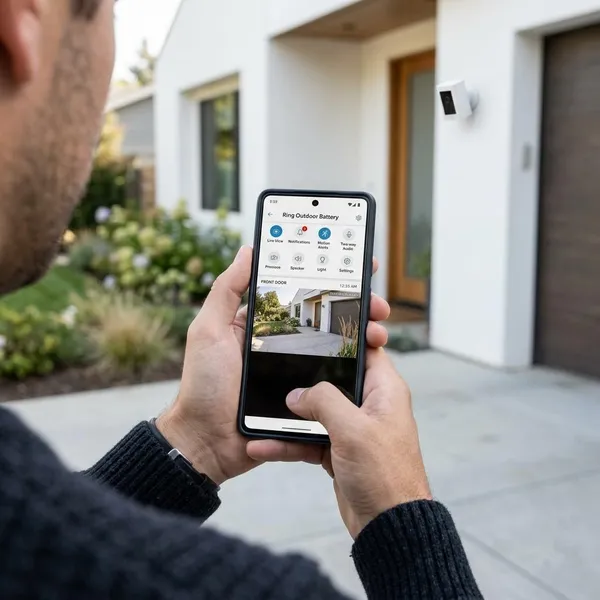
The phone app is where most people actually experience the camera. You may compare lens angles and video resolution before buying, but after installation you mostly care about five things: opening live view, trusting alerts, responding remotely, finding clips, and sharing access.
Fast live view and reliable alerts
Live view should open quickly enough that you can still react, not just watch what happened after the fact. If your Wi-Fi is weak at the camera location or the app often hangs on loading, even a high-resolution camera will feel unreliable.
For alerts, prioritize control over volume. Person, vehicle, animal, or package detection can help, but only if you can tune sensitivity and set activity zones. A camera facing a street needs stricter filtering than one watching a quiet back gate.
Two way talk and remote response
Two way talk is useful for short, practical moments: asking a courier to leave a parcel behind a planter, telling a visitor you are not home, or warning someone near a side gate. It should not be treated like a full outdoor intercom, because wind, traffic, and distance can make long conversations awkward.
- Good enough: clear short phrases through the phone app.
- Worth adding: a spotlight or siren for darker or more exposed areas.
- Do not overvalue: two way talk if the camera will face a noisy road.
Activity zones and smart detection
Activity zones are one of the first settings to adjust after installation. Block out the road, a public sidewalk, waving branches, or a neighbor's driveway if they are inside the camera view. Otherwise, your phone may buzz so often that you start ignoring alerts.
Smart detection is most helpful when it answers the question behind the notification. "Person at the front door" is more useful than "motion detected," especially if you have more than one camera sending alerts to the same phone.
Easy playback and clip sharing
Playback should let you jump to the event, scrub the timeline, save the clip, and send it without hunting through several menus. This matters after real incidents, but it also matters for ordinary things like checking when a delivery arrived or whether a gate was left open.
Cloud systems often make sharing smoother, while local systems can be cheaper over time. The better choice depends on whether you care more about quick remote access or avoiding recurring fees.
Simple access for multiple users
Shared access is important if more than one person needs alerts. A couple, roommates, or a family with older children may all need viewing rights, but not everyone should necessarily have full admin control.
Mixed-device households should check both iPhone and Android reviews for the same camera model. Some brands technically support both, but one app version may get updates faster or have fewer complaints about notifications.
Which outdoor camera setup should you choose?
Choose the setup in this order: power first, storage second, camera angle third, app experience throughout. Power decides where the camera can go and how much maintenance it creates. Storage decides whether the low purchase price stays low after a year.
For a low-risk spot, such as watching a garden gate, a battery camera with local storage may be enough. For a high-traffic front door or driveway, continuous power and stronger alert filtering are usually worth more than the easiest installation.
| Setup choice | Best for | Be careful if |
|---|---|---|
| Battery | Easy installation and flexible placement | The camera is mounted high or records often |
| Solar | Hard-to-reach spots with decent sunlight | The area is shaded in winter or under trees |
| Wired | Busy entrances and long-term reliability | You cannot place wiring where the best view is |
| Local storage | Lower ongoing cost and more control | The camera could be stolen or damaged |
| Cloud storage | Easy remote playback and off-site backup | The monthly plan locks basic features behind a fee |
Conclusion
The best choice is the camera you will actually keep using: fast to open on your phone, quiet enough with alerts, practical to power, and honest about storage costs. For most homes, app reliability and placement matter more than chasing the highest resolution, while busy or hard-to-reach areas deserve more careful choices around wiring, solar, and backup.