A google pixel smartphone review should start with the practical answer: Pixel phones are still easy to recommend in 2026 if you want clean Android, reliable photos, useful AI tools, and long software support. They are not the best choice for every heavy gamer or spec chaser, but for everyday use they feel simple, polished, and dependable.
How good are Pixel phones day to day?
Pixel phones are strongest when you judge them as daily devices, not as benchmark machines. The first things to check are simple: battery comfort, camera reliability, update support, and whether you like Google's clean Android style. If those matter more to you than maximum gaming power or the fastest charging speeds, a Pixel usually makes a lot of sense.
Everyday performance
For messaging, banking apps, maps, photos, video calls, streaming, and social media, modern Pixels feel smooth and easy to live with. The Tensor chips are not always the fastest in raw tests, but the phone rarely feels slow in normal use.
The difference shows up if you push the phone hard. Someone who edits long videos, plays demanding games for hours, or keeps many heavy apps running may be happier with a performance-focused Galaxy, iPhone, or gaming phone. For a student, parent, commuter, or work user who mainly wants quick apps and reliable Google services, Pixel performance is usually more than enough.
Battery life
Battery life is generally good, especially on the larger models. A typical day of Wi-Fi, mobile data, messaging, photos, browsing, and some navigation should be manageable without constantly hunting for a charger.
- Light to moderate use: the standard Pixel is usually fine.
- Travel days or long commutes: a Pro XL model is the safer pick.
- Heavy camera, hotspot, or gaming use: expect faster drain on any Pixel.
Charging
Charging is convenient rather than class-leading. Pixels can handle normal top-ups, wireless charging on supported models, and overnight charging without fuss, but they are not the phones to buy if ultra-fast charging is your top priority.
If you usually plug in while getting ready, driving, or sitting at a desk, Pixel charging is practical enough. If you regularly forget to charge and need a very fast refill in ten or fifteen minutes, compare current charging specs carefully before choosing Pixel over faster-charging Android rivals.
Heat management
Heat is the area where Pixel still deserves a little caution. The phone can get warm during long camera sessions, 5G hotspot use, fast charging, gaming, or outdoor navigation on a bright day.
For ordinary use, that warmth is usually occasional rather than constant. For someone who records long videos at events or games every evening, it becomes a real buying factor. If that sounds like you, look for current reviews that test sustained performance, not just short speed tests.
Connectivity
Calls, Wi-Fi, Bluetooth, and Google service integration are generally solid. Pixel also has a real advantage if you rely on Gmail, Google Photos, Google Maps, Google Home, or Workspace because the phone feels built around those tools.
Cellular performance still depends on your carrier and local coverage. If you live in a weak-signal area, do not rely only on a national review score. Check feedback from people using the same carrier in your area, because modem performance matters most where coverage is already difficult.
How good is the Pixel camera?
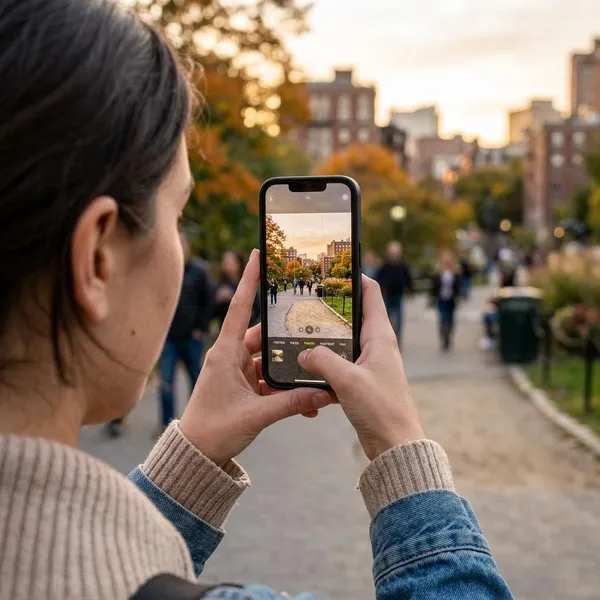
The Pixel camera remains one of the main reasons to buy the phone. Its biggest strength is not that every photo beats Samsung or iPhone in every test; it is that Pixel makes good photos easy. Open the camera, take the shot, and the result is usually sharp, balanced, and ready to share.
Daylight photos
Daylight photos are one of Pixel's safest wins. Colors usually look natural, HDR handles bright skies well, and people tend to look realistic rather than overly smoothed or heavily saturated.
If you prefer punchier colors straight from the camera, Samsung may appeal more. If you want a photo that looks balanced without editing, Pixel is often easier to trust.
Low-light photos
Low-light performance is very good, especially for restaurants, evening streets, indoor family photos, and quick travel shots. Night Sight can pull detail out of difficult scenes without making every image look like daylight.
There are limits. Moving kids, pets, or concert crowds can still blur, and very dark shots may look processed. A useful check is simple: if your subject is moving quickly, take several shots rather than trusting one Night Sight capture.
Portraits and zoom
Portraits are strong on most Pixels, with natural faces and convincing background blur in good light. Zoom is where the lineup splits: standard Pixels are fine for casual crops, while Pro models make more sense if you often photograph stages, buildings, wildlife, sports, or people from farther away.
Video quality
Pixel video is good for family clips, social posts, travel, and everyday recording. Stabilization and color are usually dependable, and supported video tools can improve results further.
If video is your main reason for buying a phone, compare carefully with iPhone and Samsung. Pixel is easy and reliable, but iPhone still has a strong reputation for consistent video, especially for longer recording and creator workflows.
AI photo editing
AI editing is one of Pixel's most useful modern features because it helps after the moment is gone. Removing a background distraction, fixing blur, or improving a rushed group shot can turn a nearly-good photo into one worth keeping.
- Use suggestions first: Google Photos often finds the obvious fix quickly.
- Check edges: hands, hair, glasses, and textures can reveal bad edits.
- Keep the original: save a copy if the edit changes the scene heavily.
Pixel software and AI features
Pixel software is the main reason the phone feels different from many other Android devices. It is cleaner, less crowded, and more focused on Google's own services. That helps if you want a phone that feels organized without spending an afternoon removing duplicate apps and changing settings.
Clean Android experience
The clean Android experience is a real advantage for people who want less clutter. Menus are easy to follow, notifications are clear, and Google apps fit naturally into the system.
This is especially helpful when buying for someone who is not technical. A parent replacing an old Android phone, for example, may find a Pixel easier to learn because there are fewer duplicate calendars, galleries, app stores, and assistant tools competing for attention.
Gemini features
Gemini features are becoming a bigger part of Pixel ownership, but they should not be the only reason you buy the phone. They are most useful when they save time: drafting text, summarizing information, helping with voice tasks, or working with images.
A light user may barely touch these tools. Someone who writes often, plans trips, manages work messages, or uses voice input daily may notice the value much more.
Call features
Pixel call features are genuinely practical. Call screening, spam filtering, hold assistance, and transcription tools can reduce the small annoyances that make a phone feel tiring to use.
This matters if you receive unknown numbers, delivery calls, work calls, or frequent spam. It is not a flashy feature on a spec sheet, but it can improve daily life more than a slightly faster benchmark score.
Pixel Drops
Pixel Drops add features and refinements after purchase. Not every update is exciting, but the steady stream of improvements helps the phone feel supported instead of frozen at launch.
Software support
Long software support is one of Pixel's best value arguments. Many current models receive years of OS and security updates, though you should still confirm the exact policy for the model you are buying.
Which Pixel phone should you buy?
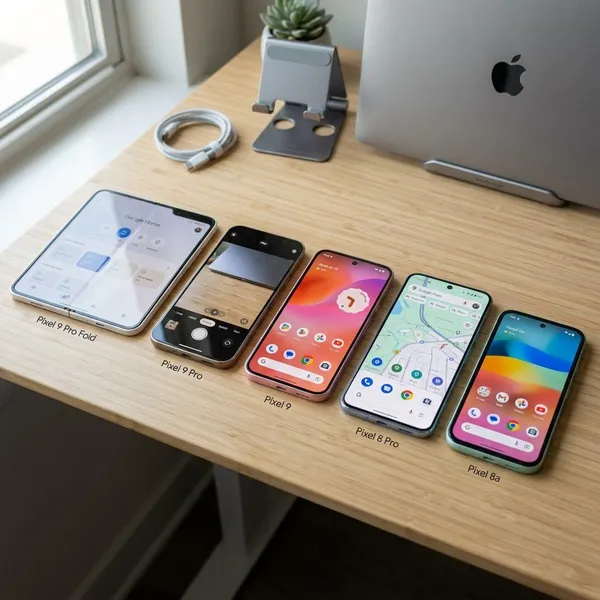
The standard Pixel is the safest choice for most people, but the best model depends on what you refuse to compromise on. Start with three checks: how much camera flexibility you need, whether you want a large phone, and how long you plan to keep it.
| Pixel choice | Best fit | Think twice if |
|---|---|---|
| Standard Pixel | Most everyday buyers | You need strong zoom |
| Pixel Pro | Camera-focused users | You only take casual photos |
| Pixel Pro XL | Big-screen and battery users | You dislike heavy phones |
| Pixel Fold | Foldable enthusiasts | You want the safest value |
| Pixel A-series | Budget buyers | You want premium hardware |
Conclusion
Pixel phones are best for people who want a calm, reliable Android phone with excellent still photos, useful Google features, and strong long-term software support. Start with the standard Pixel, move up to Pro only if camera flexibility or screen size really matters, and consider the A-series if price is the main concern. If your priorities are heavy gaming, the fastest charging, or the coolest sustained performance, compare closely before buying.